

AI product photography for eCommerce means using generative tools to draft and edit the images and video a listing needs: backgrounds and lifestyle scenes around a real product photo, variants of a hero shot, infographic layouts, A+ modules and short video. On Amazon it is allowed, with rules on accuracy and disclosure that Amazon has put in writing.
This guide covers what Amazon allows in Amazon’s own words, where AI images work on a listing and where they fail, Amazon’s own AI image and video tools, the tools we use beside them, and what a designer still decides. Every rule below comes from Amazon’s own pages and staff answers, checked for this update.
What Amazon allows, in Amazon’s words
Three Amazon sources set the rules. The first is a staff answer on Seller Forums to a seller asking which rules on AI-generated product images apply in 2026.
Its answer: simple AI retouching such as background removal, color correction and lighting adjustments is treated the same as traditional photo editing, as long as the final image accurately represents the product and meets Amazon’s image policies.
The second is Amazon’s notice on tagging AI-generated people. Before adding images or videos that contain photorealistic AI-generated people to a listing or to A+ Content, the seller adds the keyword “contains-synthetic-performer” to the dc:subject field of the file’s XMP metadata, with an IPTC-compatible editor. Amazon says it will add an indicator for customers where applicable.
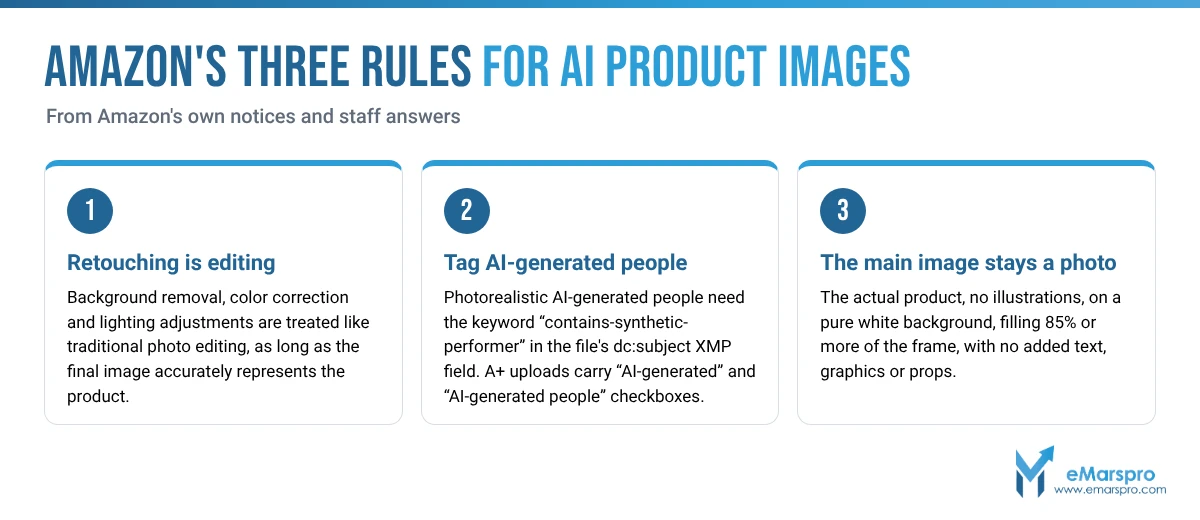
Exempt from the tag: media that shows only real people, even if AI altered them; only characters from films, games or other expressive works; no people; or no photorealistic people. The retouching answer adds that A+ uploads carry “AI-generated” and “AI-generated people” checkboxes, that the rule applies to new uploads, and that nothing has to be re-tagged retroactively.
The third is Amazon’s image requirements, as its staff restate them, which AI does not change. The main image shows the actual product, no illustrations, on a pure white background, filling 85% or more of the frame, with no added text, graphics or watermarks and no props that are not in the purchase.
The same answer recommends 1,600 pixels or more on the longest side.
Our graphic design services team applies those three rules to every AI-assisted image before it goes near a listing, because an image that breaks one of them is a listing problem, not a design problem.
Where AI images work on a listing, and where they fail
AI earns its place in the gallery, not on the main image. The jobs it does well:
- Backgrounds and settings around a real product photo: the kitchen, the desk, the trail, generated behind a product that was photographed, not generated.
- Variants: the same hero shot in the colors or sizes the listing sells, from one approved photo.
- Infographic drafts: the layout and the text of the four infographic slots, drafted from the listing’s reviews and keywords; our Amazon product infographics guide covers what each slot should show.
- A+ Content drafts: Amazon’s A+ Content Manager has AI features that help create text and images for the AI Ready modules, and Amazon’s page says the seller is responsible for making any changes needed so the product is accurately represented.
Where it fails: a generated product instead of a photographed one, so the texture, the scale or a detail is wrong and the return rate says so; hands and faces that trigger the disclosure rule without anyone noticing; text rendered inside the image with errors; a claim the product cannot keep, drawn in because the prompt asked for it.
The test we run on every AI-assisted image is one question: would the buyer who receives the product recognize it from this picture? If the answer is anything but yes, the image does not ship.
AI video for listings and ads
Amazon Ads’ generative AI page describes a video generator that turns a product ASIN into a video ad in one click, for Sponsored Brands, and an image generator that builds lifestyle images from product ASINs inside Creative Studio. Both are free to use.
In the Sponsored Brands creative card the video tool is labeled “Generate a video with AI (Beta)”, and the videos can also be used in Brand Stores.
Creative Agent, Amazon’s agentic creative tool in the Ads console, researches the product and generates display, video and audio creative, and Amazon says it uses retail and brand signals for brand safety and compliance. Amazon’s own caveat on the image guide applies to all of them: generative AI outputs can make mistakes.
For a listing, the video that works shows the product in use, multi-scene, with text animation and music, which is what Amazon says its generator produces. The check before it goes live is the same as for an image: every claim in the overlay is one the listing makes, and the product on screen is the product in the box.
The tools we use, and the order of work
Amazon’s own tools first, because they live where the listing lives: the A+ Content Manager’s AI features for module drafts, the Ads image and video generators for lifestyle images and Sponsored Brands video, Creative Agent for ad creative across formats.
Adobe Firefly for backgrounds, variants and edits on our own product photos, using the models Adobe labels commercially safe; Adobe describes it as a tool to generate and edit images, video, audio and designs. ChatGPT and Claude for the brief: the questions buyers ask in reviews, the claims the copy makes, the infographic text drafted from the listing.
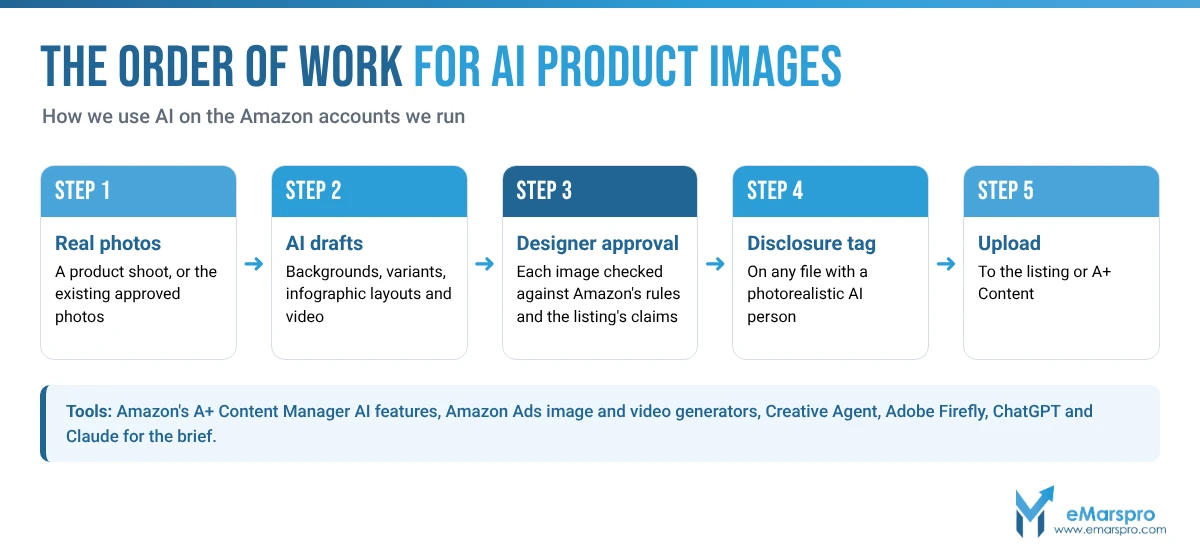
The order of work on the accounts we run: a real product shoot or the existing approved photos first; AI drafts the backgrounds, variants, infographic layouts and video; a designer approves each image against Amazon’s rules and the listing’s claims; the disclosure tag goes on any file with a photorealistic AI person; the upload follows.
Our Amazon listing optimization team writes the copy the images sit beside, so the gallery and the bullets make the same claims.
The seasonal pass
The gallery changes with the calendar and the rules do not. Before a deal event the main image stays clean and the gallery carries the gift context; the Black Friday listing optimization post sets the timing. A+ Content takes seasonal modules, which AI drafts quickly and a designer checks against the product; our holiday A+ modules post covers which ones.
What a person decides
Whether an AI edit changed the product in a way the buyer would notice. Whether a claim drawn into an image is one the listing can keep. Whether a face or a hand in the frame is real, altered or generated, and so whether the tag goes on.
Whether the main image is a photograph of the product, as Amazon requires. And whether the whole gallery still reads as one product on a phone screen.
AI drafts quickly, and that is the point of using it. The approval takes the same care it always did, and that is the point of keeping a designer in the chair.
Frequently Asked Questions
Yes, within Amazon’s rules. Amazon’s staff answer treats AI retouching such as background removal, color and lighting like ordinary photo editing as long as the final image accurately represents the product. The main image still has to be the actual product on a pure white background, filling 85% or more of the frame, with no added text or graphics.
When they contain photorealistic AI-generated people, yes. Amazon’s notice asks sellers to add the keyword “contains-synthetic-performer” to the image’s dc:subject metadata before uploading it to a listing or A+ Content, and A+ uploads carry “AI-generated” and “AI-generated people” checkboxes. Media with only real people, no people, or no photorealistic people is exempt; the rule is not retroactive.
Not as a generated product. Amazon’s main-image rules want the actual product shown, no illustrations, on a pure white background with no text, graphics or props. AI can clean the background of a real photo; it cannot stand in for the product. Generated scenes belong in the secondary images and A+ Content, where they show the product as it is.
Yes, free to use. Amazon Ads’ image generator builds lifestyle images from a product ASIN in Creative Studio, its video generator turns an ASIN into a Sponsored Brands video, and Creative Agent generates ad creative across formats. The A+ Content Manager has AI features for AI Ready modules; Amazon’s A+ page says you remain responsible for the result.
Draft with AI, ship what the buyer will recognize
Use Amazon’s own tools and the commercially safe ones beside them, keep the main image a photograph, tag any AI person, and let a designer approve every file against the listing’s claims.
If you would rather have the gallery, the A+ Content and the video built that way for you, our design team starts with a free review of your current gallery, A+ Content and Brand Store against these three rules, before any design work.
Get Your Listing Images Checked Against Amazon’s Rules
Our design team builds AI-assisted galleries, A+ Content and video for brands on Amazon, and starts with a free review of your current gallery, A+ Content and Brand Store.