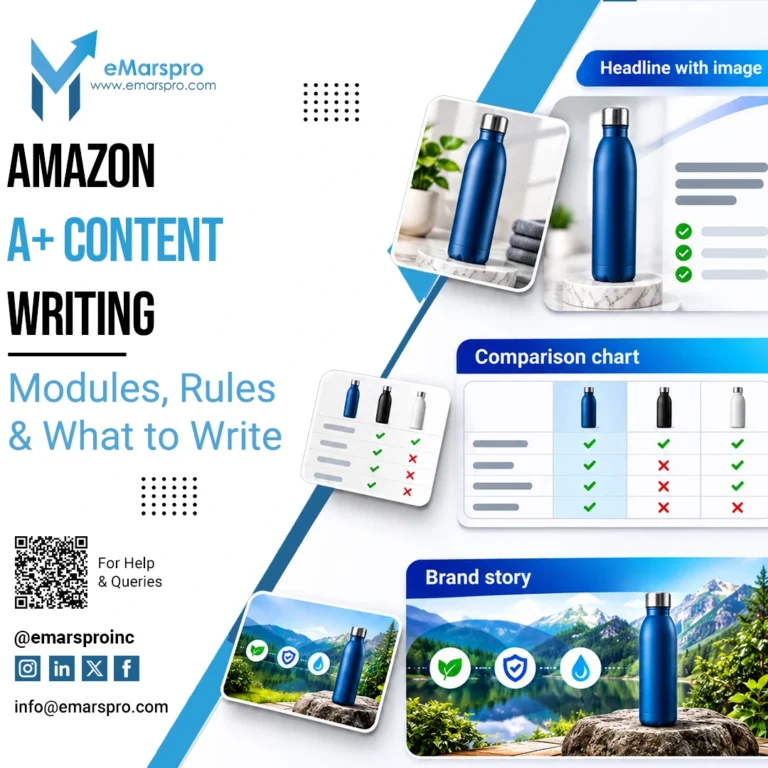
Amazon A+ content writing is the copy inside the enhanced section of a product page: the headlines, the text beside the images, the comparison chart and the brand story that Amazon lets a brand add below the bullets.
Amazon describes A+ Content as a tool that helps you showcase your products and share your brand’s story on product detail pages, and says it is free for sellers who meet its eligibility rules.
This guide covers who can use it and the three content types in Amazon’s words, what to write in each kind of module, the rules that get content rejected, how the images and the words divide the work, and what Amazon’s AI Ready modules now draft. Every eligibility line and figure comes from Amazon’s own pages, checked for this update.
Who can use A+ Content, in Amazon’s words
Amazon’s A+ Content page sets two conditions. You need a Professional selling account, and you need either a Brand Representative or Reseller role assigned to a brand enrolled in Amazon Brand Registry, or generic products in your catalog. Content is applied to brand-owned ASINs, in Amazon’s words; the page gives both conditions without saying more about the generic case.
The page names three content types. Basic A+ builds up the product description with images, customized text placements and shoppable comparison charts. Premium A+ adds larger images, videos, interactive hotspots, clickable image and video carousels and Q&A modules. Brand Story shares the brand’s story, values and mission across all its listings and drives traffic to the Brand Store.
Amazon’s figures for the lift, footnoted as internal data: Basic A+ can increase sales by up to 8 percent, well-implemented Premium A+ by up to 20 percent. Our Amazon listing optimization team treats those as the ceiling for a listing whose bullets and gallery already do their job; A+ answers the questions that are left.
What A+ content writing is for, and what it is not
A+ sits below the bullets, after the buyer has read the title, the price, the gallery and the first review. The copy that earns its place answers what those did not: what the product feels like in use, how it compares with the brand’s other models, what is in the box, who makes it and why.
Copy that repeats the bullets costs the buyer a scroll and gives nothing back.
We keep the keyword set in the title, bullets and backend fields, which our listing team builds first; A+ copy is written for the person, to be read beside an image on a phone screen.
What to write in each kind of module
| Module type | What the words do | What to write |
|---|---|---|
| Headline with image | States the one claim the image proves | One sentence, the benefit the picture shows, no adjective the picture does not support |
| Text beside an image | Explains what the buyer is looking at | Two to three short lines: the feature, what it does for the buyer, the detail the camera cannot show (weight, material, what is included) |
| Comparison chart | Routes the buyer to the right item in your range | The three to five attributes buyers compare, one row per model, the differences stated as facts, not rankings |
| Q&A module (Premium) | Answers the questions in your reviews and messages | The five questions buyers ask before ordering, answered in one or two lines each from the spec sheet |
| Brand Story | Says who makes this and why | Where the brand is from, what it makes, what it stands for; the one fact a buyer can verify; no slogan without a fact behind it |
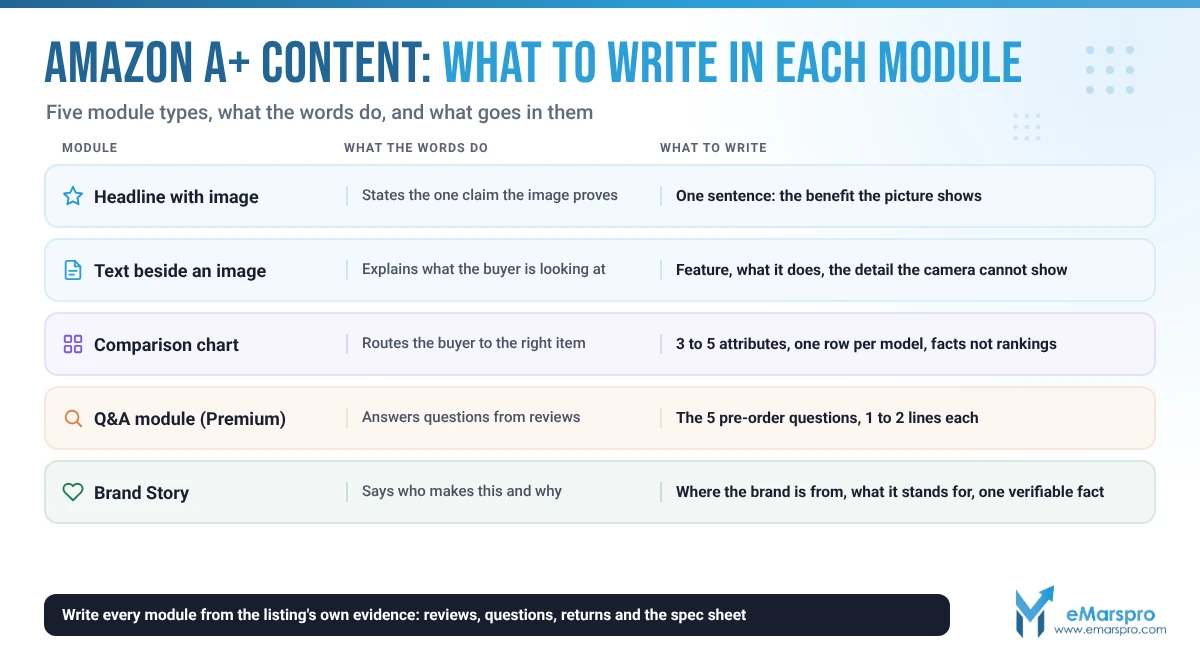
The source for every module is the listing’s own evidence: the reviews, the questions, the returns reasons and the spec sheet. A module written from the brand deck reads like one.
The rules that get A+ content rejected
Amazon’s A+ Content guidelines sit in Seller Central help, behind the seller login, and Amazon reviews submissions against them. The lines that cause rejections on the accounts we run, each one worth a check before you submit:
- Pricing, promotions, shipping and time-limited offers inside the content.
- Superlatives such as best or cheapest, warranty promises, and any health or safety claim the product’s own certification does not back.
- Competitor names or comparisons with other brands; the comparison chart compares your own products.
- Review requests, star ratings, awards without the year and body, and customer quotes without permission.
- Text that contradicts the detail page, and image text that repeats or replaces what the module’s text field should say.
One rule is newer and applies to A+ as much as to the gallery: Amazon’s notice on tagging AI-generated people asks sellers to add the keyword contains-synthetic-performer to the metadata of any image or video with photorealistic AI-generated people before adding it to listings or A+ Content; our AI product photography for eCommerce post covers it.
The images and the words: who does what
A+ is designed and written together. The designer builds the modules, the lifestyle images and the comparison chart to Amazon’s image rules; the writer supplies the headline, the text fields, the chart’s attributes and the alt text.
Our graphic design services team builds the modules; the listing team writes into them, so the words and the pictures make the same claim.
For a holiday you swap modules in on a date and swap them back after; our holiday A+ modules post covers which ones carry a gift message. The infographic slots in the gallery carry the claims A+ then explains; our Amazon product infographics post covers what each slot should show.
How to submit A+ Content, from Amazon’s page
Amazon’s path: hover over Advertising in Seller Central and select A+ Content Manager, then Start creating A+ Content; choose the content type; Add module and fill each one; Apply ASINs to the brand-owned products; Review and submit.
Amazon says approved content appears on the detail pages automatically. Its page states no review time; plan a seasonal module well before the date it has to show.
What Amazon’s AI Ready modules draft, and what a person decides
Amazon’s AI listing guide says the AI features help create text and images for A+ Content modules. In a module with the AI Ready badge you select Select content to generate, pick the text and image fields, enter a brand-owned ASIN and select Generate content.
Amazon’s A+ page says the draft uses key insights based on your ASIN and top-performing products in your category.
Amazon says the proposed content is optional and that you are responsible for any changes needed so the product is accurately represented.
On the accounts we run, the AI Ready draft or a ChatGPT or Claude draft from the reviews and spec sheet is the first pass; a person checks every claim against the product, cuts what the detail page does not say, and reads it on a phone before it goes in. AI reads, people decide.
Frequently Asked Questions
Amazon’s A+ page says you need a Professional selling account and either a Brand Representative or Reseller role assigned to a brand enrolled in Amazon Brand Registry, or generic products in your catalog. A+ Content is free for sellers who meet those requirements, in Amazon’s words. Vendors use it through Vendor Central; this guide covers the seller side.
In Amazon’s descriptions: Basic A+ builds up the product description with images, customized text placements and shoppable comparison charts; Premium A+ adds larger images, videos, interactive hotspots, clickable carousels and Q&A modules; Brand Story shares the brand’s story, values and mission across its listings. Amazon’s A+ page lists no separate Premium criteria; they sit in Seller Central help.
Amazon’s own A+ Content Manager can. Modules with the AI Ready badge offer Select content to generate; you pick the text and image fields, enter a brand-owned ASIN and select Generate content. Amazon says the proposed content is optional and that you remain responsible for accuracy. A person reviews every module before submission.
Written for the buyer who scrolled past the bullets
Confirm the role, pick the content type, write each module from the listing’s own evidence, check the rules before you submit, and let a designer and a writer build it together.
If you would rather have the A+ written and built for you, our listing team begins with the free account audit, in which the A+ modules are read with the listing, findings inside 48 hours.
Get Your A+ Content Written and Built
Our listing team reads your A+ modules with the listing and starts with a free account audit, findings within 48 hours.