

Amazon Seller Assistant is the AI agent inside Seller Central. Since the upgrade Amazon announced at Accelerate in September, it can monitor your account, draft listing and pricing changes, build restock plans and run routine tasks even when you are logged out, and you choose whether it only recommends or also acts. Every action it takes is logged.
This post walks through what the assistant does, job by job, what it still leaves to you, and how to set it up so it helps without surprising you. Every fact is from Amazon’s own announcements, checked for this update.
What Seller Assistant is now, and what it is not
Amazon describes the upgraded assistant as one that handles connected decisions across inventory, advertising, listings, compliance and pricing, rather than answering one question at a time. It carries memory of your pricing patterns, inventory cycles and growth goals, and every suggestion comes with the reasoning behind it.
Two modes matter more than any feature. In Amazon’s words, sellers choose whether it just surfaces recommendations or takes actions on their behalf. In the second mode you still review and approve each action before it is carried out, and Amazon says every action is logged with a complete audit trail.
It is not a tool you log into separately, and it is not the browser extension that shares its name. It lives in Seller Central and, per Amazon, keeps your data inside Amazon’s infrastructure. Our Amazon account management team runs it in the recommend mode first and moves tasks to the act mode one at a time.
What it does, job by job
Amazon’s announcement and its Accelerate recap name the jobs below. The right-hand column is ours: the decision that stays with a person on every account we run, whatever the assistant proposes.
| Job | What Amazon says the assistant does | What a person still decides |
|---|---|---|
| Account health | Monitors account health and alerts you to potential issues and actions | Whether a notice needs an appeal, and what the plan of action says |
| Listings | Assesses potential improvements to a listing and drafts a recommendation | Whether the edit goes live, because a changed title or bullet is visible to every shopper |
| Inventory | Tracks stock levels, drafts a restock plan, can run restocking as a workflow | The order quantity and the cash it ties up |
| Pricing | Analyzes pricing trends and can run pricing adjustments as a workflow | The price floor and ceiling per product, and any deal price |
| Advertising | Drafts Sponsored Products and Sponsored Brands campaigns for approval; auto-optimization adjusts terms and keeps bids under your maximum | The total budget, the bid ceiling and the margin the ads must clear |
| Compliance | Reads compliance documents and flags listing issues: Amazon’s earlier announcement describes automated document analysis for new listings and scans of existing listings against new safety rules | Which documents are submitted and whether a product stays listed during a review |
| Orders and analysis | Summarizes orders; a canvas workspace models scenarios such as pricing strategies and campaign performance with live data | Which scenario becomes the plan |
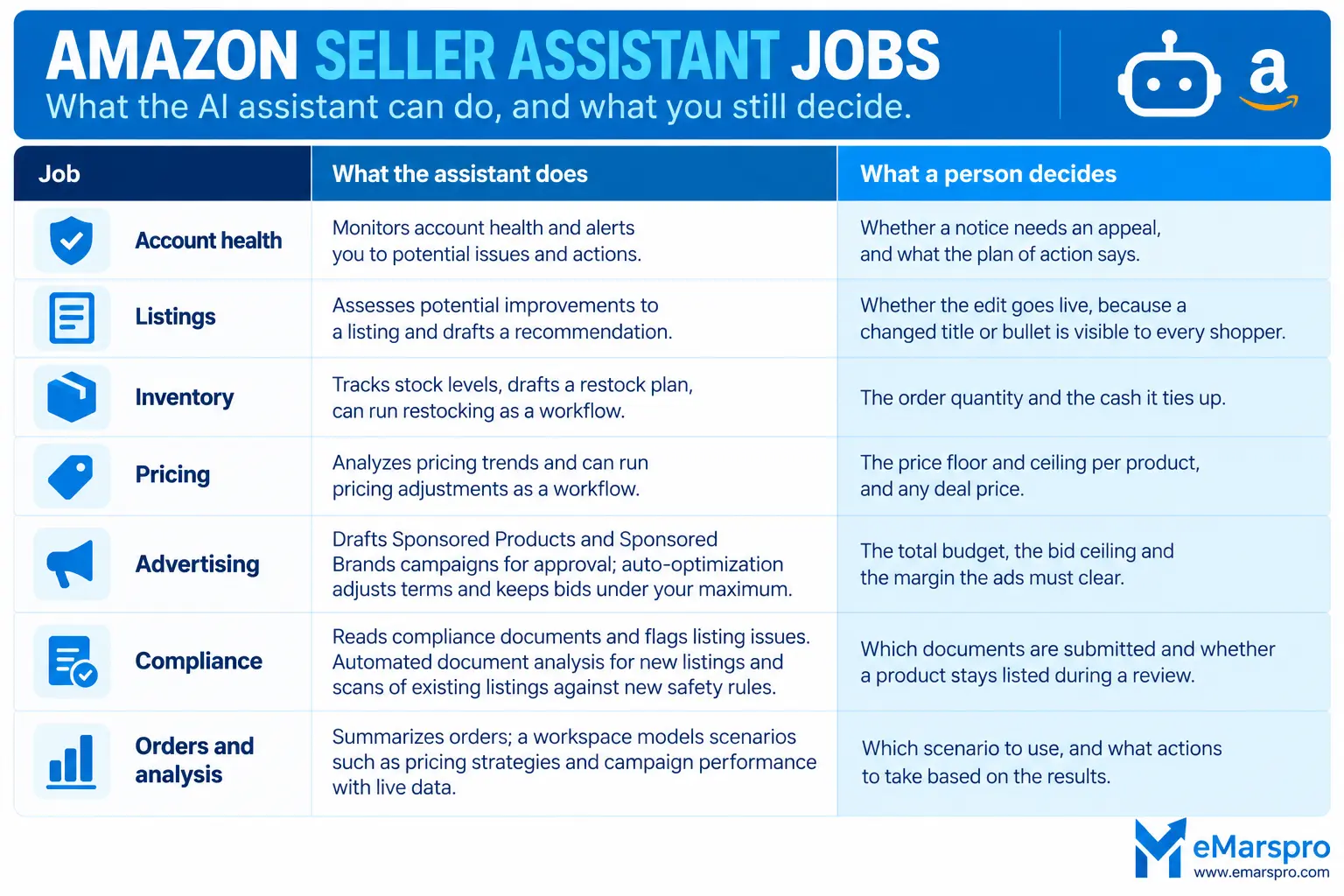
The pattern is consistent. The assistant reads, drafts and, inside limits, executes. The limits, the money and anything a shopper sees are yours.
Workflows: tasks that run while you are logged out
The biggest change at Accelerate is that Seller Assistant now runs workflows around the clock. Amazon says they continuously monitor and execute routine tasks like restocking and pricing adjustments, even when you are not logged in. You pick from prebuilt templates or build your own by describing what you need in plain language and setting guardrails.
Three settings decide whether a workflow helps or hurts, and none of them is a default:
1. The guardrails. Write them as numbers the workflow can hold: the lowest price it may set, the most it may reorder, the bid it may not exceed. “Keep prices competitive” is not a guardrail.
2. The scope. Start with one product line and one task. A pricing workflow across the whole catalog on day one is how an account learns about its own blind spots in public.
3. The review. Amazon logs every action. Put a name and a day on reading that log, because a log nobody reads is not a control.

Memory and reasoning: why your declines matter
Amazon says the assistant carries persistent memory of each seller’s pricing patterns, inventory cycles and growth goals, and that this memory follows you into Amazon Quick and Claude once the plugin is connected. It also says every suggestion comes with reasoning, so you can evaluate, adjust or explore alternatives.
That makes your responses part of the system. When you decline a recommendation, record why in your own notes, and when you accept one, check that the reasoning matches the real cause. An assistant that remembers your decisions is only as good as the decisions it is remembering.
The plugin: your Amazon data inside Claude or Quick
The Amazon Selling Partner plugin connects your listings, performance metrics, inventory and sales analytics to the AI tool you already use. Amazon says it launched first with Amazon Quick and in beta with Anthropic’s Claude, connects in roughly 60 seconds with no coding, and is available in beta to sellers in Amazon’s US store, with international expansion to follow.
Treat the connected tool like a new team member with account access. Decide what it is for, what it may draft, and who approves the result. For the tools we use alongside Amazon’s own, and how we split the work between them, see our post on AI tools for marketplace accounts.
Two more details from Amazon’s pages. A free 12-month Amazon Quick Plus subscription is open to primary account holders who sign up by December 31, 2026, and it covers two co-workers as well.
Amazon also says sellers accept the assistant’s recommendations over 90% of the time. That figure is Amazon’s, measured across its sellers. It is a reason to read each recommendation closely, not a reason to accept it.
How we run it on client accounts
AI reads, people decide. On the accounts we manage, every action sits in one of three tiers, sorted by what it costs to reverse: what the assistant may do on its own, what it proposes for approval, and what it never touches.
Seller Assistant runs in the recommend mode for account health, listings and compliance. The act mode is for tasks with a numeric guardrail only, the five limits every account carries: a maximum bid, a budget ceiling, a price band, a margin floor and a stock floor.
Every listing edit, appeal and deal price is approved by a named person.
If an account health notice turns into a deactivation, the assistant can summarize the case, but the plan of action is written by a person, because the root cause is a judgment, not a pattern.
Frequently Asked Questions
Amazon’s pages state no price for Seller Assistant itself; it sits inside Seller Central for the sellers it has reached, over 90% of selling partners worldwide per Amazon. The separate Amazon Quick Plus subscription, which the plugin connects to, is free for 12 months to primary account holders who sign up by December 31, 2026, with two co-workers included.
Only what you let it. Amazon says you choose whether it just surfaces recommendations or takes actions on your behalf, and that when it acts you review and approve the action first. Workflows you set up can monitor and run routine tasks such as restocking and pricing adjustments while you are logged out, inside the guardrails you describe.
Amazon’s Seller Central announcements point to the AI icon in the Seller Central search bar; from there you ask it in plain language. To let it act, set the mode and the guardrails for the task. To connect it to Claude or Amazon Quick, add the Amazon Selling Partner plugin, which Amazon says takes about 60 seconds with no code.
It can draft Sponsored Products and Sponsored Brands campaigns for you to approve. Amazon’s auto-optimization then adds search terms that convert, pauses the ones that do not, and keeps bids under the maximum you set; Amazon says you can always see what changed and why. The budget, the bid ceiling and the margin floor stay yours.
No. Amazon’s Seller Assistant is the AI agent inside Seller Central. A third-party product research extension uses a similar name and has nothing to do with it. When a tool asks for your Seller Central login, it is not Amazon’s assistant; Amazon’s runs inside your account and, per Amazon, keeps seller data within Amazon’s infrastructure.
Set the limits, then let it work
Seller Assistant is the most capable tool Amazon has given sellers in years, and the mistake most accounts will make is turning it on without deciding what it may touch. Write the guardrails, start with one workflow, read the log weekly.
If you would rather have a team set those limits and read that log for you that is what we do on every account: the assistant does the reading and a person does the deciding.