


Quick answer: To reinstate a suspended Amazon ASIN, open Account Health in Seller Central, read the exact violation attached to the listing, fix the root cause, and gather proof such as supplier invoices or compliance documents. Then submit a plan of action covering root cause, corrective action, and prevention, and track the appeal from the same dashboard.
That is the whole game. The rest of this guide is how to run each step without the common mistakes that turn a one-week fix into a three-month standoff.
Listing down or account down? Two different problems
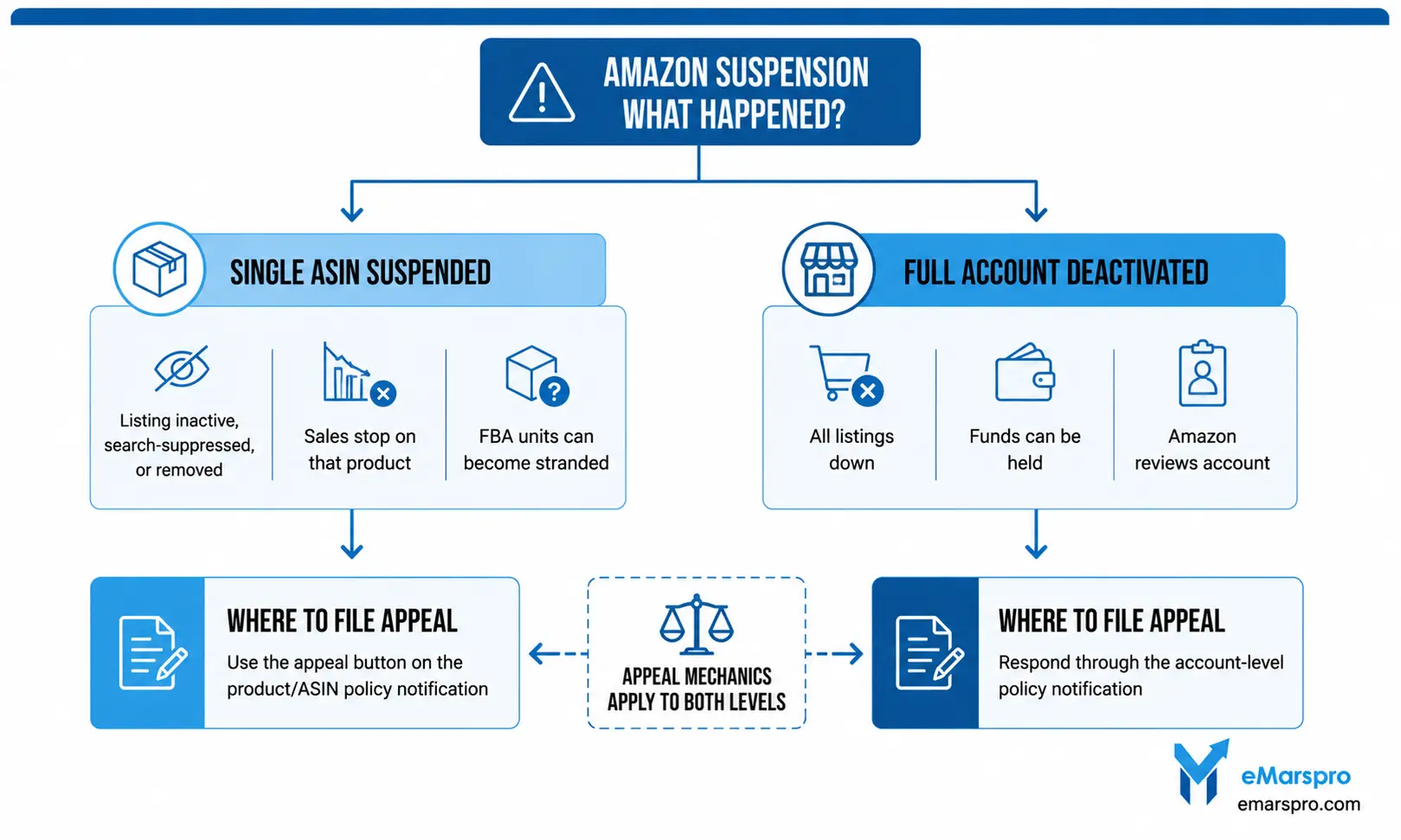
A suspended ASIN means one product lost its sell offer. The listing shows as Inactive, search-suppressed, or removed in Manage Inventory, sales on that product stop, and any FBA units can turn into stranded FBA inventory. The rest of your catalog keeps selling.
A deactivated account is the bigger event: every listing goes down at once and funds can be held while Amazon reviews. If you got a performance notification about the whole account, or your account sits in under review status, work that problem first. The appeal mechanics below apply to both levels.
Amazon’s own consequence list for policy problems runs from listing removal up to account deactivation, loss of Featured Offer eligibility, and withholding of funds. Knowing which tier you are in decides what you write and where you file it.
Why Amazon suspends ASINs
Almost every listing takedown lands in one of these buckets:
- Authenticity or condition complaints. Buyer reports of counterfeit, “not as described,” or used items sold as new.
- Intellectual property claims. A rights owner filed against your listing for trademark, copyright, or patent reasons.
- Restricted or unapproved products. The item needs approval, documents, or is not allowed for sale.
- Listing policy violations. Detail page tampering, variation misuse, prohibited claims in copy, or category miscoding.
- Performance triggers. Complaint velocity on one ASIN, or account metrics like order defect rate spilling over. Amazon’s published guidance is to keep ODR under 1 percent.
The suspension notice names the policy involved. Do not guess: the notice, not your theory, defines what the appeal must answer.
The reinstatement workflow, step by step
1. Read the notice like a case file
Open Seller Central and go to Account Health, then the policy compliance section. Every removed listing has a violation record that states the policy, the affected ASIN, and what Amazon wants to see. Screenshot it and work from the exact wording.
2. Diagnose the real root cause
“A buyer complained” is a symptom. The root cause is the thing you control: a supplier substitution, a stock photo that oversells the product, missing safety documentation, a packaging change nobody QA’d. Appeals that misdiagnose the cause get rejected on loop.
3. Gather the evidence before you write
Depending on the violation, that means supplier invoices that match your listing and quantities, letters of authorization, safety or compliance certificates, retraction emails for IP claims, or corrected listing content. Amazon accepts documents, not promises.
4. Write the plan of action
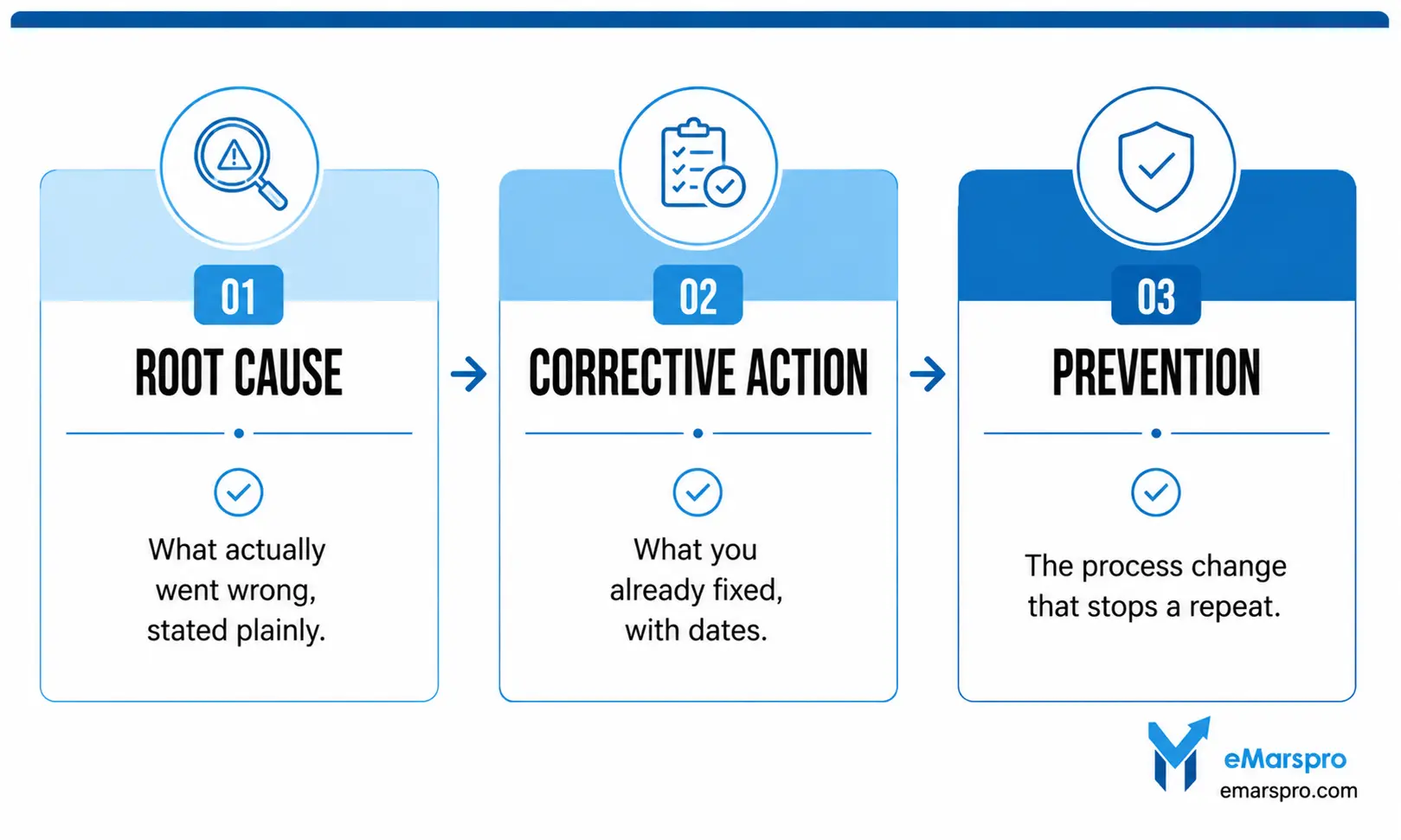
Keep it factual and structured in three parts, and keep each part specific:
- Root cause: what actually went wrong, stated plainly.
- Corrective action: what you already fixed, with dates.
- Prevention: the process change that stops a repeat.
Skip apologies, blame, and essays. Reviewers scan for the three parts; make them findable in seconds.
5. Submit through Account Health
File the appeal from the violation record itself using the appeal or reactivation path shown there, and attach your documents. Filing from the correct record matters: it routes your case to the right queue.
6. Track, respond fast, and do not spam
Watch Account Health for status changes and information requests, and answer the same day when Amazon asks for more. Do not fire duplicate appeals at the same violation; each rejected rewrite should add new evidence, not new adjectives.
There is no published reinstatement clock, and anyone quoting you a guaranteed number is guessing. Straightforward document checks tend to move faster than investigations. Your live status always sits in the Account Health dashboard, so check there rather than trusting third-party timelines.
Prevention: make the next suspension boring
Your Account Health Rating is a color-coded score from 0 to 1,000 that estimates deactivation risk based on how well the account complies with Amazon’s selling policies. Treat drops as an early warning system, not a scoreboard.
Three habits do most of the work:
- Work every violation the week it appears. Small unresolved flags compound into account-level reviews.
- Watch complaint patterns per ASIN. Recurring “not as described” returns on one product is a takedown in progress.
- Use the help that lives in the dashboard. Amazon has been rolling out Amelia, a generative AI assistant inside Seller Central, since late 2024. Use it for quick policy questions, then verify against the written policy before acting.
Amazon’s Account Health Assurance program adds a safety net for qualifying sellers: Amazon states it will not deactivate an enrolled account as long as the seller works with them to resolve issues. Eligibility shows inside your Account Health dashboard.
Frequently Asked Questions
It varies by violation type, and Amazon does not publish a service-level timeline. Document verification cases usually resolve faster than authenticity or IP investigations. Track your case status in the Account Health dashboard, respond to any information request the same day, and avoid filing duplicate appeals, which can slow the queue.
Common causes are policy violations flagged in Account Health, missing or conflicting listing data, category or compliance documentation gaps, IP complaints, and buyer complaints about authenticity or condition. Check Manage Inventory for the status label, then match it to the notification in Account Health before making any edits.
Three parts: the root cause of the issue stated factually, the corrective actions you have already taken with dates, and the preventive steps that stop it from recurring. Attach supporting documents such as supplier invoices or compliance certificates. Keep it short, specific, and free of blame or emotional language.
No. Duplicate listings for the same product violate Amazon policy, the original violation stays on your account record, and the pattern can escalate a single listing problem into an account-level deactivation. Fix the violation on the existing ASIN and appeal it properly.
When To Hand It Off
If the ASIN is still down after your first appeal, or the product carries real revenue, get experienced eyes on the case before the appeal history gets messy. We build and file ASIN appeals, and handle account-level deactivations, the same casework we run while managing 300+ brands across 60+ marketplaces. Request the free account audit and you’ll have findings within 48 hours.