

Quick answer: Your inventory is stranded because the units are physically in Amazon’s fulfillment centres but the listing attached to them is no longer active, so nothing is buyable. Amazon attaches a reason to every stranded unit. That reason, not the unit count, tells you which of three lanes the fix belongs in: an edit you can make yourself, an approval case, or a removal order.
Most guides hand you a list of causes. The useful skill is different: open the list, read the reason Amazon attached, and route each lane. Worked that way, most stranded units are back on sale the same day.
Stranded, unfulfillable or aged: three different problems
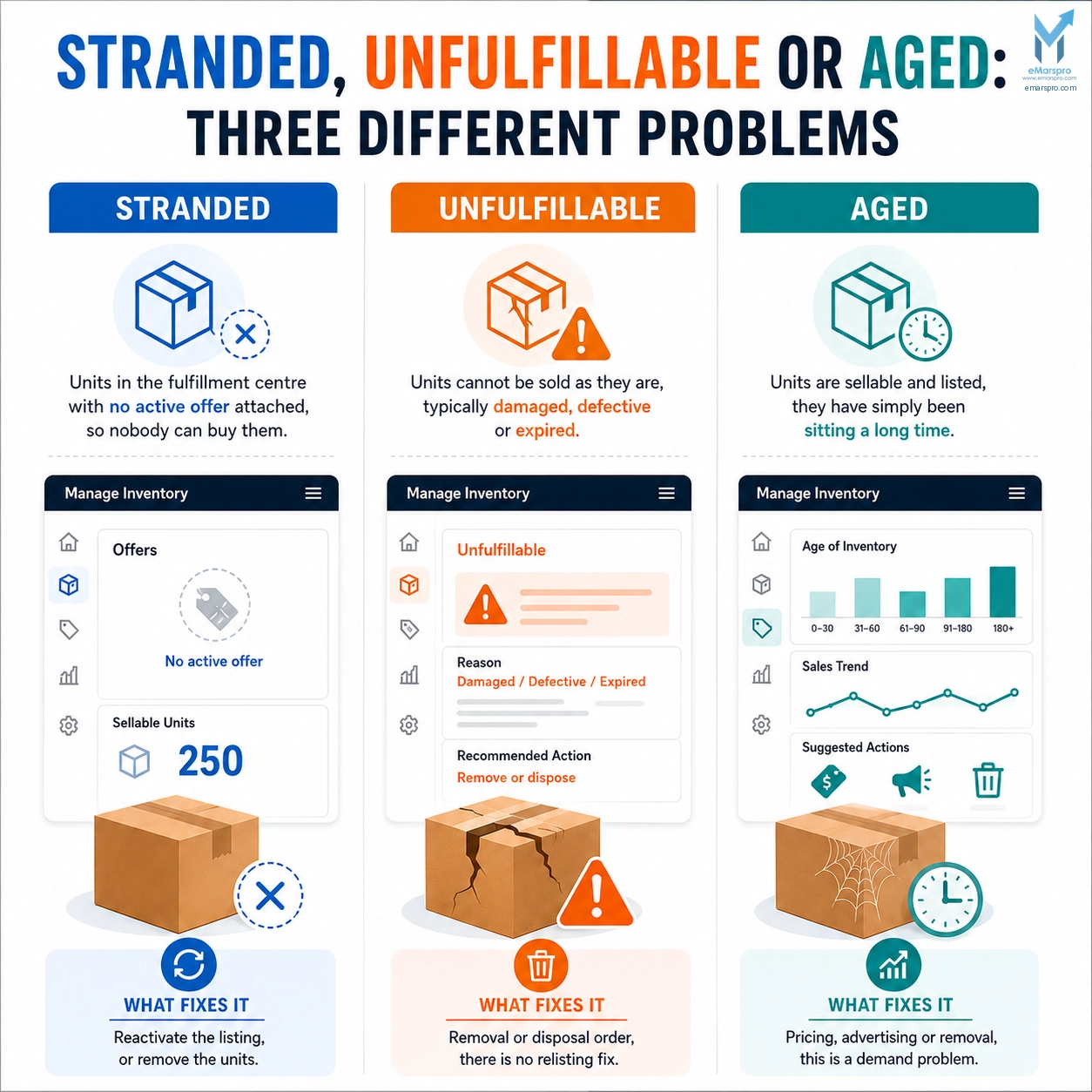
Sellers lose time here more than anywhere else, because the three sit on different screens and have different fixes.
| Problem | What it means | What fixes it |
|---|---|---|
| Stranded | Units are in the fulfillment centre with no active offer attached, so nobody can buy them | Reactivate the listing, or remove the units |
| Unfulfillable | Units cannot be sold as they are, typically damaged, defective or expired | Removal or disposal order, there is no relisting fix |
| Aged | Units are sellable and listed, they have simply been sitting a long time | Pricing, advertising or removal, this is a demand problem |
If the units are buyable on your listing right now, they are not stranded, whatever else is wrong with them.
Where to find it in Seller Central
Amazon’s own FBA Inventory tool page, checked today, describes stranded inventory as a product in FBA fulfillment centres that does not have an active offer, and points sellers at the Fix Stranded Inventory tool in Seller Central to identify sellable items with no active listing.
Amazon states the outcome bluntly: each stranded unit either needs its listing reactivated, or needs removing so you stop paying storage on stock that cannot sell. Those are the only two endings.
Console labels shift as Amazon updates Seller Central. Work from the reason column, which is stable in meaning even when the wording changes, rather than from a screenshot in any guide.
Why inventory gets stranded: read the reason, then route it
Every stranded unit carries a reason. Sort by that column first and you have lanes instead of a pile.
| Reason attached to the unit | What actually happened | Lane | Typical effort |
|---|---|---|---|
| Listing error or missing attribute | A required field is blank or invalid, so the offer cannot go live | Self-service | Minutes |
| Pricing issue | The price tripped one of Amazon’s protections and the offer came down | Self-service | Minutes |
| Closed or deleted listing | Someone removed the listing while stock was still in the network | Self-service | Minutes |
| Restricted or approval required | The ASIN needs category or brand approval you do not currently hold | Approval | Days, or a decision |
| Policy or intellectual property flag | The listing is down because of a complaint or policy action | Approval | Days, and it is an account health job |
| Expired or unsellable | The units cannot be sold in their current state | Removal | Minutes to file |
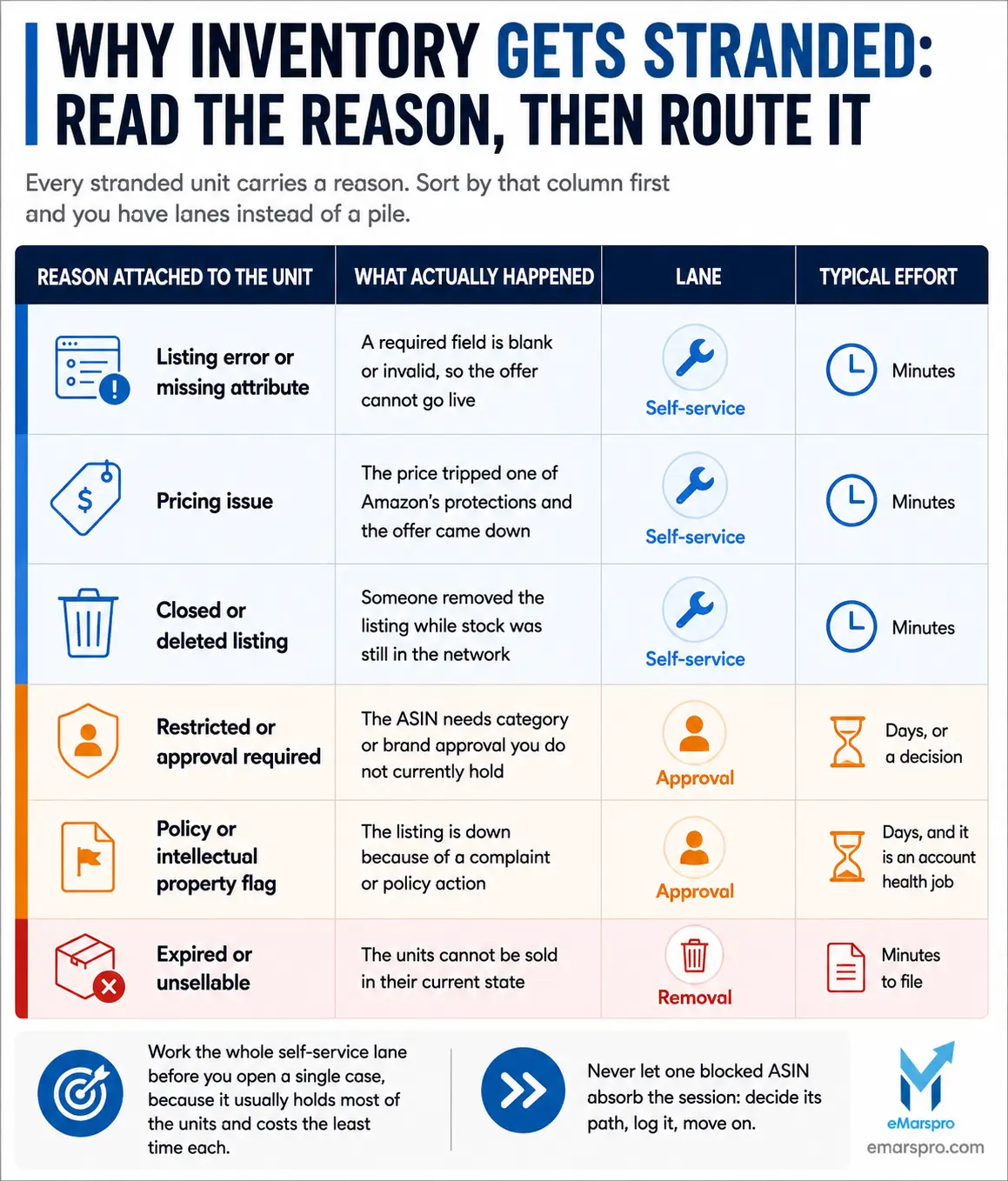
Two rules make this fast. Work the whole self-service lane before you open a single case, because it usually holds most of the units and costs the least time each. And never let one blocked ASIN absorb the session: decide its path, log it, move on.
Fixing each lane
Self-service lane. Fix the field, correct the price, or relist against the existing SKU. The offer comes back and the units become buyable again. Do these in bulk where the tool allows it.
Approval lane. Decide per ASIN whether the approval is worth pursuing before you open anything. Some restricted ASINs are worth a case and some are worth a removal order. Policy and intellectual property flags are not a listing edit at all and belong in your account health workflow.
Removal lane. File the removal or disposal order and stop the meter. Units that cannot be sold are not a decision to defer, they are storage you are choosing to keep paying.
Amazon also offers automated actions on the Fix Stranded Inventory page so strands resolve without a human. Amazon does not publish the available timing options on its public pages, so open the settings and read the current options in your own console rather than trusting a day range from any guide, this one included.
What it costs while you leave it
Stranded units are quietly expensive in four directions at once:
- Storage keeps billing. Fees follow physical presence, not listing status, so units that cannot sell still cost you. Current rates live in the fee schedule inside Seller Central, and the storage fees that keep billing are among the ones sellers spot last.
- Sales stop on that ASIN while competitors keep taking the demand you paid to create.
- Capacity is affected. Amazon’s capacity management announcement, checked today, states the current system took effect March 1, 2023 and replaced weekly restock limits with a single monthly capacity limit shown in the Capacity Monitor. Amazon names the Inventory Performance Index as one influence on that limit, alongside sales forecasts, shipment lead time and fulfillment centre capacity. Amazon publishes no threshold score on that page, so treat any specific IPI cutoff you read online as unverified.
- Capital is frozen. Stock you have already paid for produces nothing until somebody fixes it.
Four habits that stop units stranding again
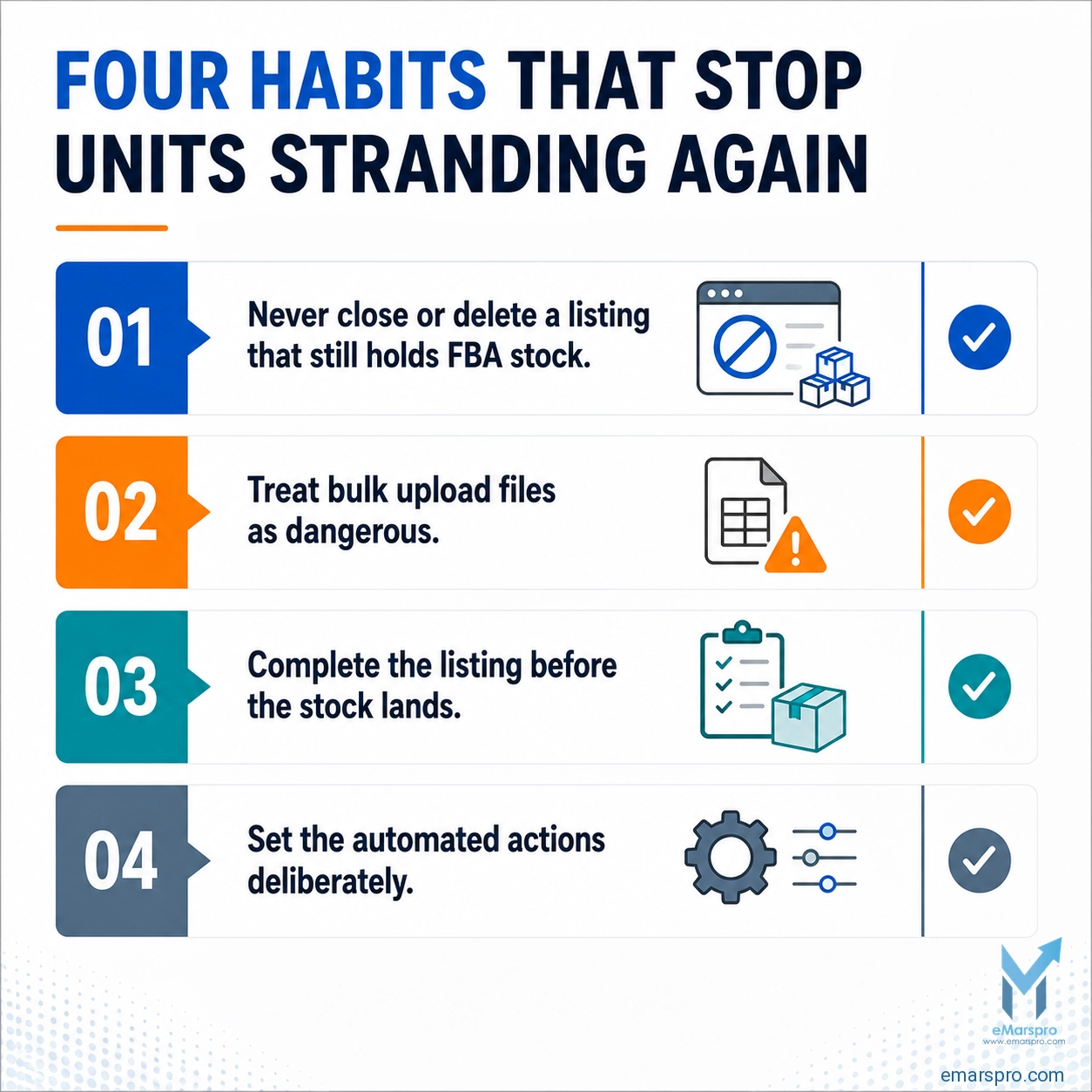
- Never close or delete a listing that still holds FBA stock. Pause it or fix it instead. This single habit prevents the most common cause on the list above.
- Treat bulk upload files as dangerous. One wrong column can flip fulfillment method or wipe a required attribute and strand everything attached to it. Change one thing at a time and check the processing report.
- Complete the listing before the stock lands. Units arriving against a half-built listing strand on arrival, which is why prep and listing readiness belong in the same checklist as complete the listing before the stock lands.
- Set the automated actions deliberately. Defaults are a decision somebody else made. Open the settings, choose them, and review them quarterly.
A weekly ten minute pass through the stranded list keeps this at a chore. Left monthly it becomes an audit, and inventory management software will flag the units but will not decide the lanes for you.
When to stop doing this yourself
If stranded units keep reappearing after you clear them, the strand is a symptom and something upstream is producing it: a feed, a bulk file, a listing process, or nobody owning the weekly check. If you would rather it never reached your desk, that is what our stranded inventory team handles.
eMarspro has been managing marketplace accounts since 2011 and today supports 300+ brands across 60+ marketplaces. The weekly stranded pass sits inside Amazon FBA management, with scope set in your SOW.
If units keep stranding and nobody can tell you why, that is a process question rather than a console question, and it is the first thing an FBA management company should be able to show you. We run a free account audit and send findings within 48 hours.
Frequently Asked Questions
It means the units are physically in Amazon’s fulfillment centres but no active offer is attached to them, so customers cannot buy them. Amazon describes stranded inventory as a product in FBA fulfillment centres without an active offer, and states it either needs the listing reactivated or the units removed so you stop paying storage on stock that cannot sell.
Amazon attaches a reason to each stranded unit. The usual reasons are a listing error or missing attribute, a pricing issue that took the offer down, a closed or deleted listing, an ASIN needing approval you do not hold, a policy or intellectual property flag, or expired units. Sort by that reason column first.
Yes. Storage fees follow physical presence in the fulfillment centre, not whether the listing is active, so units that cannot sell still cost you every month they sit. Current rates are published in the fee schedule inside Seller Central rather than on Amazon’s public pages, so pull them there.
Which ASINs Go Underwater At Holiday Rates?
We’ll look at your margin by ASIN, inventory position, and account structure, and tell you where Q4 is most likely to cost you. No commitment attached.