
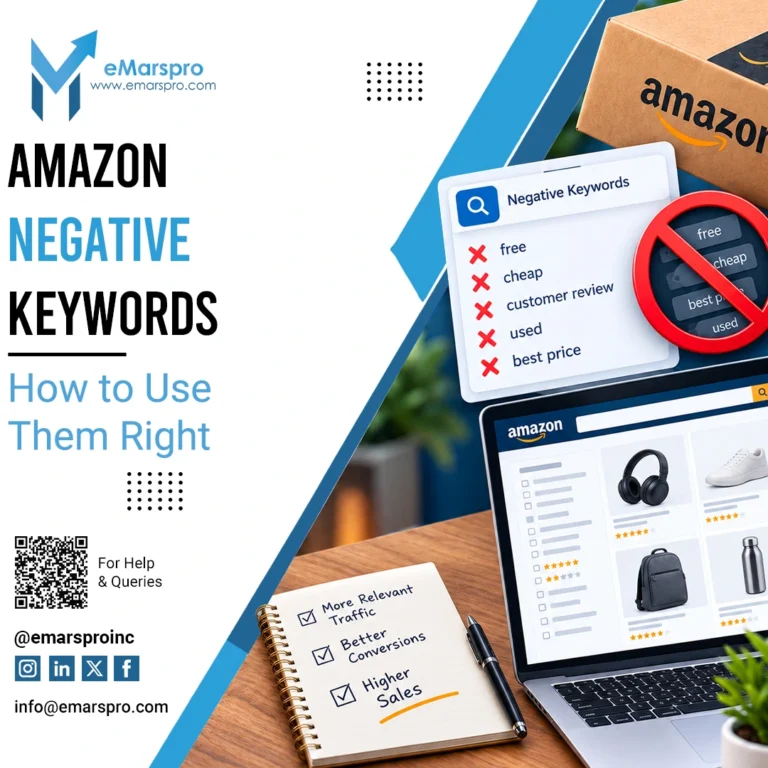
Amazon negative keywords tell the auction where your ads should NOT show. They are the cheapest optimization in Amazon PPC: every blocked irrelevant click is budget moved to clicks that can convert, at zero risk to your rankings.
This guide covers where negatives live, the match types, and the weekly routine that keeps them earning.
What Negative Keywords Do in Amazon PPC
A negative keyword blocks your ad from search terms you name. A children’s clothing seller blocking “men’s” stops paying for shoppers who were never buyers. The spend does not disappear; it flows to the targets you kept, which is the whole point.
Negatives matter most where targeting is widest: auto campaigns and broad match. Tight exact-match campaigns need them least.
The Negative Match Types on Amazon
- Negative exact: blocks that term and its close forms only. The scalpel. Use it for single proven-bad terms where the rest of the theme still deserves a chance.
- Negative phrase: blocks any search containing the phrase. The broom. One phrase negative can silence hundreds of long-tail variants at once, which is exactly why it deserves a second look before you add it.
- Negative product targeting: blocks specific ASINs or brands from product-targeted placements, so you stop paying to appear on detail pages that never convert for you. Most sellers forget this lane exists and leak budget on placement mismatches for months.
Verify the option names in your console when you build; Amazon adjusts interface labels over time. The mechanics above are the stable part.
Campaign Level or Ad Group Level?
Campaign-level negatives apply to every ad group inside the campaign; ad-group negatives apply to one. The working rule: universally irrelevant terms (your “men’s”) go at campaign level. Terms that are wrong for one ad group but right for another stay at ad-group level.
A concrete example: a cookware brand can block “toy” at campaign level everywhere. But “mini” might be a junk term for the stockpot ad group and the exact right term for the espresso-cup ad group. Level placement is about where a term is wrong, not just whether it is.
Building the First Negative List for a New Campaign
A brand-new campaign has no search term history, but it does not have to start naked. Seed the list from what you already know cannot convert:
- Variants you do not sell: sizes, colors, materials, pack counts.
- Intent you do not serve: “free”, “used”, “rental”, “DIY”, “how to make”.
- Adjacent products that share your words but not your buyer.
Competitor brand terms are a strategy call, not an automatic negative. Conquesting can work at the right price; blocking it saves money but concedes the audience. Decide it deliberately per product, and revisit the call when margins or competition change.
Adding Negatives in the Console: The Short Version
- Open the campaign (or ad group), find the negative keywords section, and add your terms with the match type chosen deliberately.
- To retire a negative later, archive it from the same list; archived negatives stop blocking immediately.
- Screens shift as Amazon updates the console, so trust the labels in front of you over any screenshot in any guide, including this one.
The Weekly Negative Keyword Routine
Negatives are not a setup task. They are a weekly harvest from the search term report:
- Set an evidence threshold first: enough clicks to prove a term does not convert, not two clicks and a bad mood.
- Terms past the threshold with zero orders become negative exact.
- Whole themes that never fit your product become negative phrase.
- Converting terms graduate the other way: into their own exact-match targets with real bids.
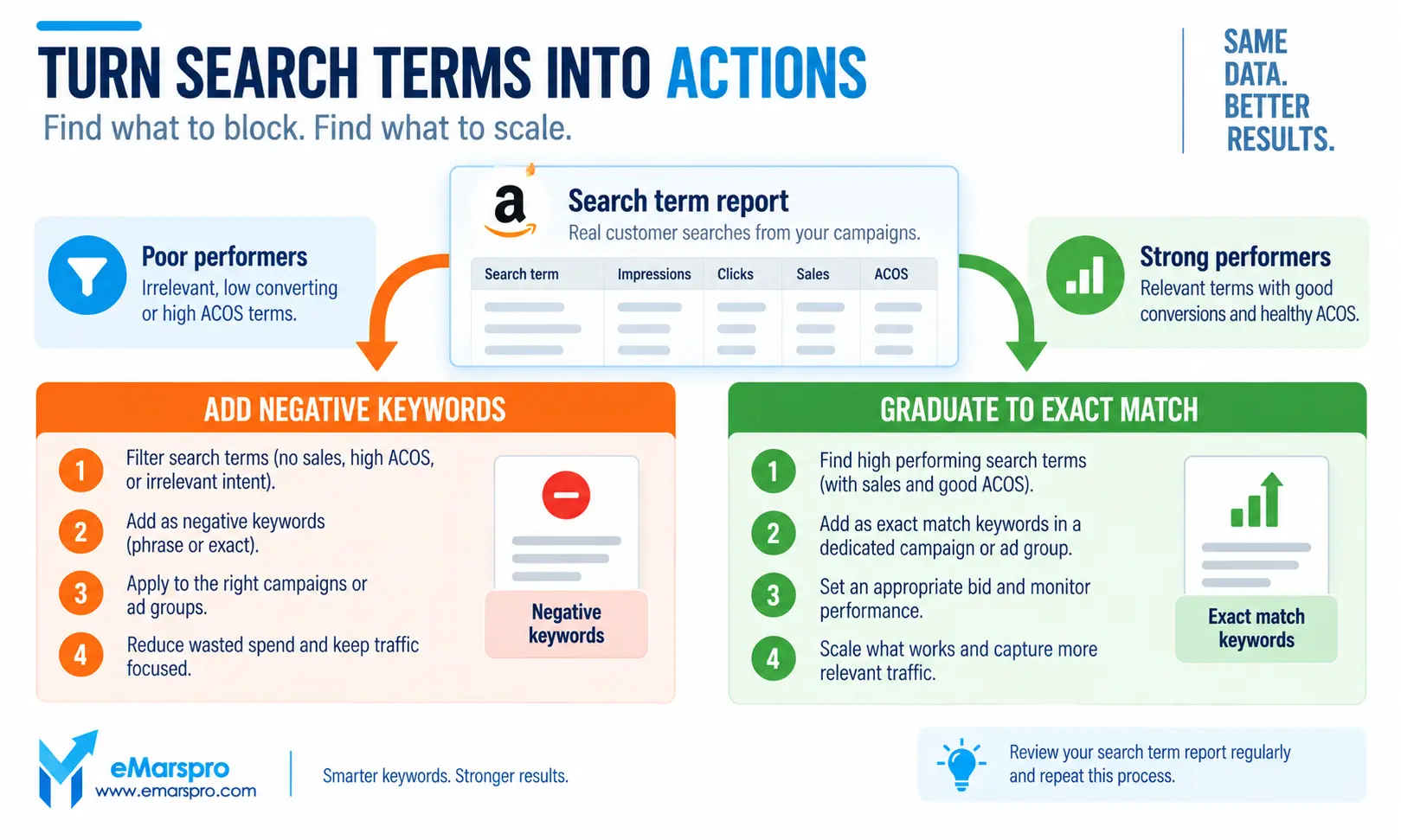
That last step is the half most sellers skip. The search term report is a two-way sorting machine, and negatives are only one of its outputs. The full weekly routine sits in our guide to optimizing Amazon advertising campaigns.
Where Sellers Get Negatives Wrong
Building negatives in one campaign while a duplicate campaign keeps paying for the same junk terms. Structure problems make negative lists leak; fix structure first.
Blocking too early, on impatience instead of evidence.
Never revisiting the list: a term blocked in March can deserve a Q4 second chance when demand shifts.
Phrase negatives so broad they strangle discovery in auto campaigns.
Frequently Asked Questions
As many as the evidence produces and no more. A campaign a year old can carry hundreds legitimately. A week-old campaign with hundreds is guessing, and probably blocking terms that never got a fair test.
Not directly. They shape which auctions your ads enter, which shapes what you pay and what converts. The organic effect is indirect: better ad efficiency funds better coverage on terms that sell, and sales feed rank.
Auto campaigns are where negatives earn the most, because Amazon picks the targets and some picks will be wrong. Harvest the search term report weekly, block the proven junk, and let the auto campaign keep exploring everything else.
Negative exact blocks one term and its close forms. Negative phrase blocks every search containing the phrase, which sweeps up long-tail variants you have never seen. Use exact for surgical blocks and phrase for whole themes that can never fit.
Only when they block real demand, which happens two ways: phrase negatives cast wider than intended, and terms blocked on impatience before they had a fair test. The evidence threshold prevents the second, and a quarterly review of the list itself catches the first.
Get Your Free Amazon Account Audit
A negative list is only as good as the routine behind it. Our Amazon PPC management team runs that harvest on client accounts as part of the standard loop, and it starts with a free audit.
We review your listings, PPC and account health, and send findings within 48 hours.