
The best products to sell on eBay are the ones eBay’s own sales data says sell through at a price that clears your costs. eBay gives sellers that data inside Seller Hub: three years of sold-item history, average sold prices, sell-through rates and, for business sellers with a Basic Store or above, sourcing insights.
This guide is the research routine we run before a product is bought, built on eBay’s product research help page and checked for this update; here is how to run it yourself.
What eBay gives you: product research in Seller Hub
Product research, which eBay’s help page still files under the Terapeak name in its address, sits in the Research tab of Seller Hub and in the mobile apps. eBay’s help page describes it as “access to the last 3 years of eBay sales data for millions of items”.
| What it shows | What it tells you |
|---|---|
| Average sales price | What buyers actually paid, not what sellers asked |
| Sell-through rate | How much of what was listed sold, shown for searches of items sold in the last 90 days |
| Selling format | Whether the item moves at fixed price or auction |
| Sourcing insights | A second view eBay offers at no extra cost to business sellers with a Basic Store subscription or above |
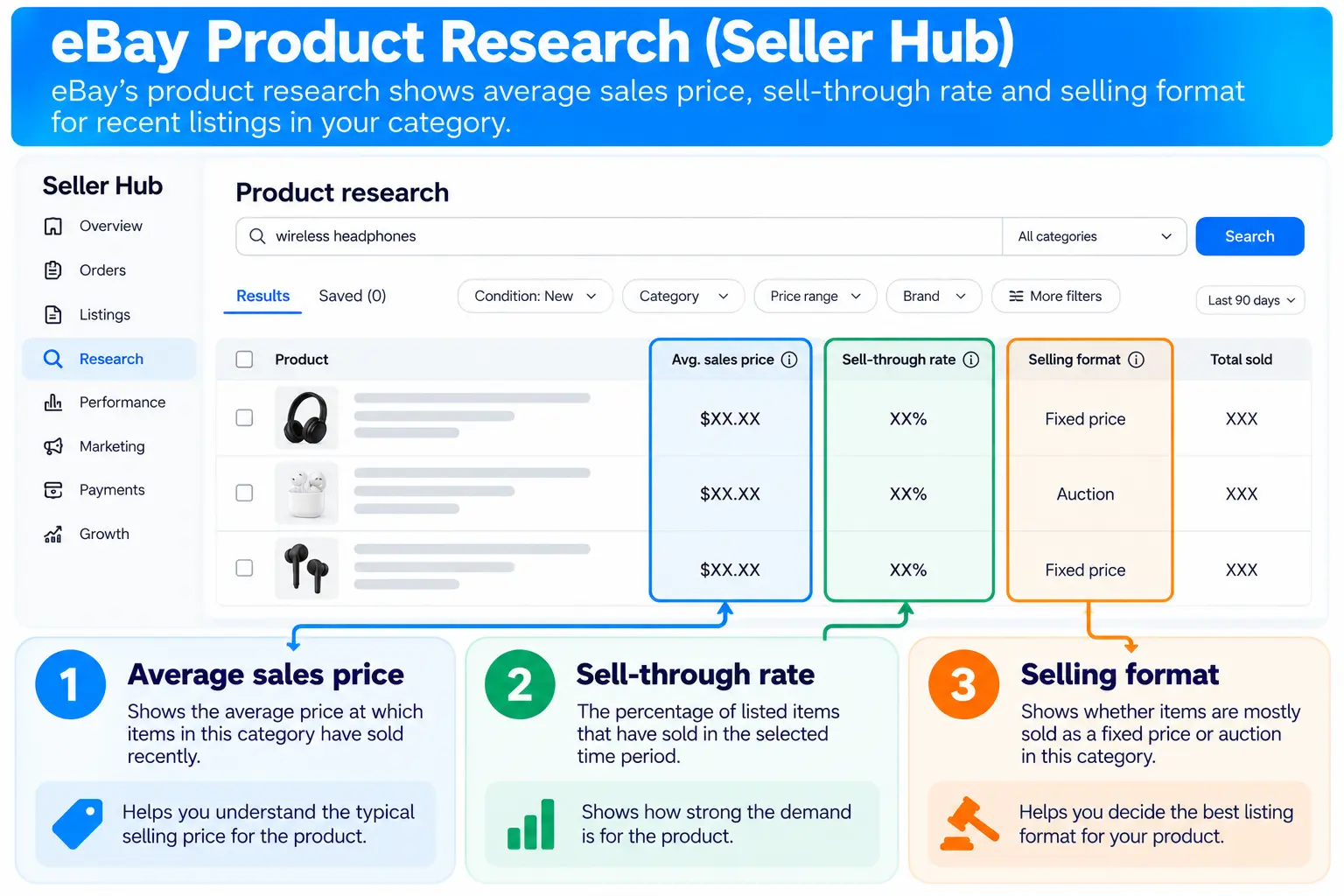
The numbers that matter are the first two together. A high sell-through at a stable average price is a product; a high sell-through at a falling price is a race to the bottom.
Our eBay account management team runs this routine for the brands we manage before any product is bought.
The five-step research routine
1. Start from a category, not a product. Pick a category you can source in and open product research on it. Read the sell-through rate and the average sales price for the items that come up.
2. Read the sold price, not the asking price. Use the average sales price eBay shows. If the sold listings behind it sit far apart in price, that usually means condition or variation differences you need to understand before you buy.
3. Count the competition. Search the item on eBay and count the live listings, then set that against the sell-through rate for the last 90 days. Few listings and a high sell-through means room for another seller; many listings and a low sell-through means Promoted Listings will probably be needed for visibility.
4. Run the margin before you source. Average sold price, minus the final value fee for the category, minus the Store subscription if you need one, minus shipping and returns, minus your cost. Our eBay store management guide covers the fee stack and the tier choice.
5. Test with a small lot. A small first lot, listed with eBay’s AI listing tool for the first draft and a person’s edit, tells you more than a month of research.
Other places to read demand
• The sold items filter in eBay search, for a quick read before you open product research.
• Your own account: which of your listings sell through, read in Seller Hub; the same pattern usually repeats in adjacent products.
• Other marketplaces, with caution. A product that sells on Amazon does not always sell on eBay, where, on the accounts we run, used, collectible, refurbished and parts listings do best; use other marketplaces to find ideas, and eBay’s data to confirm them.
How AI helps with eBay product research
• ChatGPT and Claude widen the list: ask for product ideas inside a niche, with the sourcing routes, and you have a long list in minutes. eBay’s data then cuts it to the few that sell.
• eBay’s AI listing tool drafts a title, description and category from a photo once you have chosen the product, and can suggest a price and shipping cost; a person checks every item specific before the listing goes live.
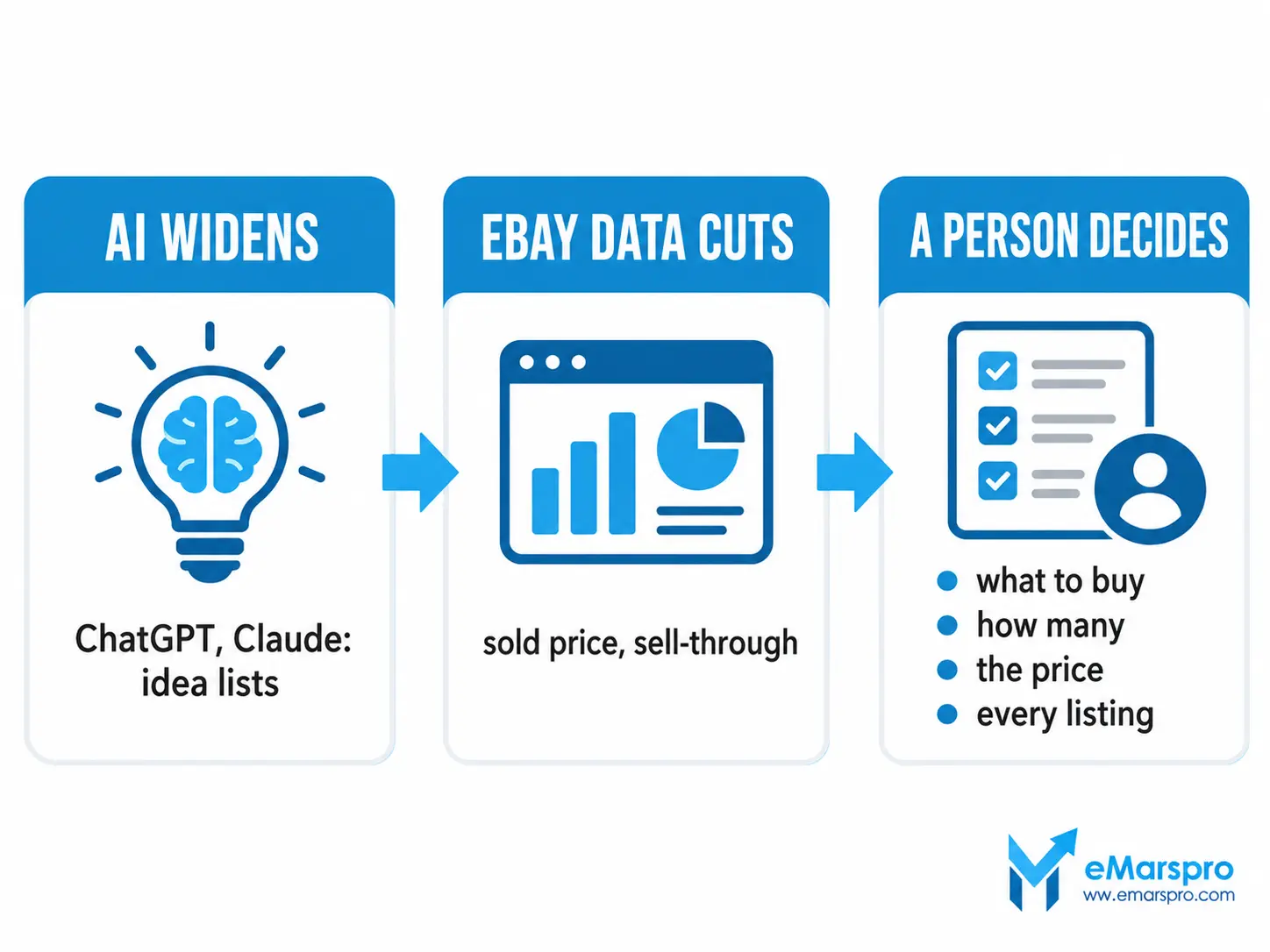
What a person decides: which products to buy, how many, at what price, and every listing that goes live. The research tool shows the past; it does not promise the future.
Frequently Asked Questions
The ones eBay’s own data says sell through at a price that clears your costs. There is no fixed list: the product research tool in Seller Hub shows three years of sold-item data, so the right answer is the category where your sourcing cost sits well under the average sold price and the sell-through rate is high.
Sellers with access to Seller Hub, from its Research tab, and the eBay mobile apps. Sourcing insights is available at no extra cost to business sellers with a Basic Store subscription or above. eBay’s help page is the source for both; it does not put a price on product research itself.
Search it in product research and read two numbers: the average sold price and the sell-through rate, which eBay shows for searches of items sold in the last 90 days. A high sell-through at a stable price is demand; many live listings in search with a low sell-through is competition.
It can widen the list, not pick the winner. ChatGPT or Claude will brainstorm product ideas in a niche in minutes; eBay’s data decides which ones sell. eBay’s own AI listing tool then drafts the listing from a photo once you have chosen. A person checks the numbers and makes the buy.
Sold prices, sell-through, margin, then buy
Most product guides give you a list. eBay already gives you the data behind every list, three years of it, inside the dashboard you log into. Read it in that order and the list writes itself.
Our how to sell on eBay guide covers the setup, and our eBay account team runs the research for you if you would rather not.