
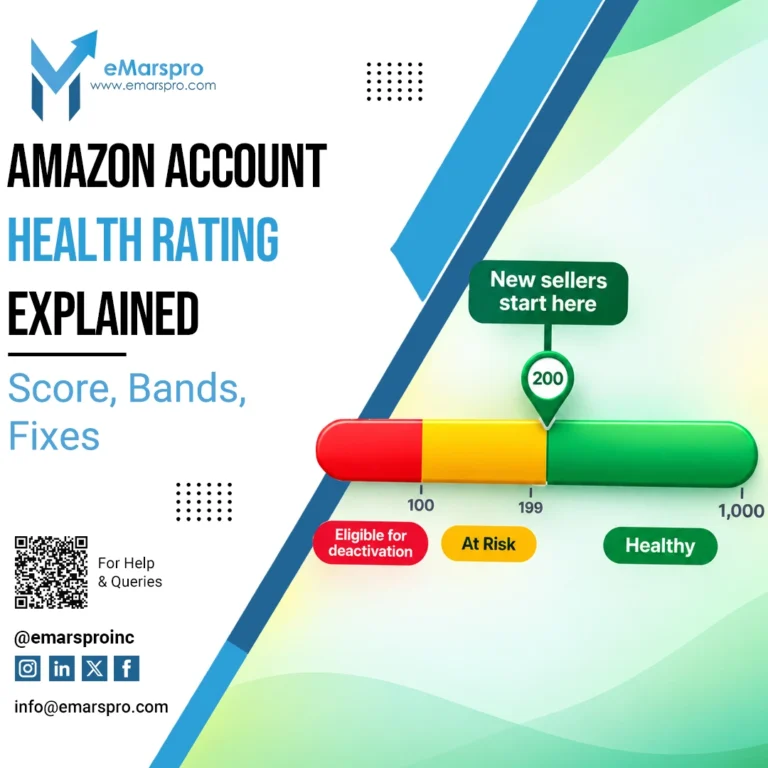
The Amazon Account Health Rating (AHR) is Amazon’s measure of how well your selling account follows its policies, on a scale from 0 to 1,000. Amazon’s seller guide to account health puts the bands at Healthy for 200 to 1,000, At Risk for 100 to 199, and eligible for deactivation below 100.
The score moves when Amazon records a policy violation and again when you resolve it. This post covers what it measures, how violations move it, how to get it back up, and the one program that buys you time. Every rule on the rating is from Amazon’s Seller Forums staff posts, checked on 9 October 2026.
What the rating measures, and what it does not
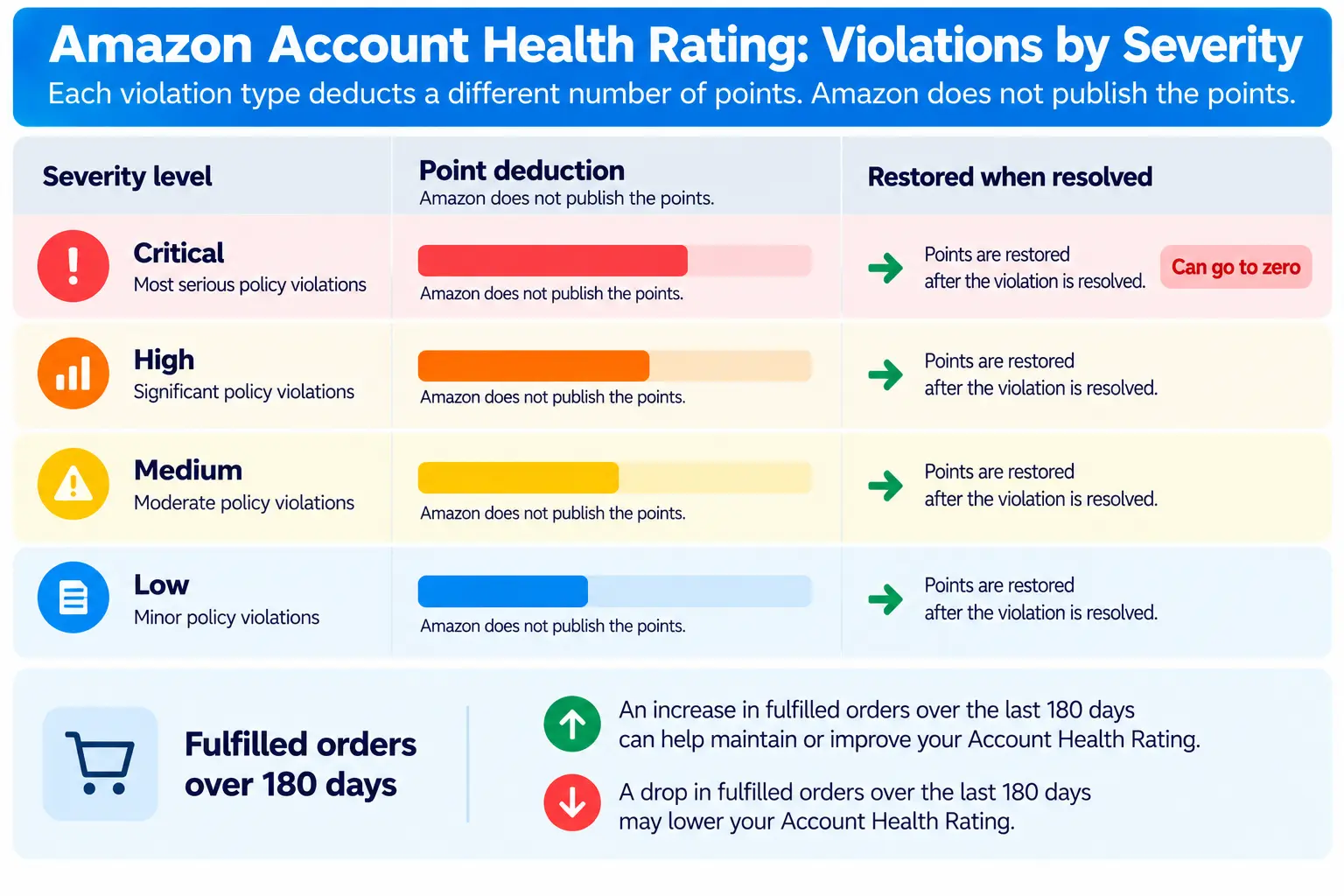
Amazon describes the rating as a measure of how well the account complies with its policies: the violations listed under Policy Compliance on your Account Health page. Each open violation deducts points by severity; each resolved one gives them back.
The performance metrics sit in their own sections of the same page, each with its own threshold: order defect rate under 1%, late shipment rate under 4%, pre-fulfillment cancellation rate under 2.5% and valid tracking rate above 95%. They are account health thresholds with their own consequences, not inputs to the rating that Amazon describes.
It is not a sales score either. Amazon’s answers to sellers say a drop in fulfilled orders over the last 180 days may lower the score, but it will not fall below 200 unless there are policy violations.
The three bands, and what each one means
| Score | Band | What Amazon says it means |
|---|---|---|
| 200 to 1,000 | Healthy (green) | Good standing. New sellers start at 200, so a new account is healthy on day one |
| 100 to 199 | At Risk (yellow) | Unresolved violations could lead toward deactivation; the banner reads “Your Account is At Risk of Deactivation” |
| Below 100 | Unhealthy (red) | The account is eligible for deactivation. Once the violations are addressed and the score rises above 100, it becomes eligible for reinstatement |
One case skips the bands: a critical violation can take the score to zero at once, and Amazon’s introduction to the rating says that will likely mean deactivation until the critical issue is resolved.
If your account is already down, whether Amazon calls it a hold, a suspension or a deactivation, the appeal is a plan of action, and our Amazon suspension appeal team can run it for you. The rest of this post is for getting the score up before that point.
How violations move the score
• Severity sets the deduction. Amazon’s answers to sellers list four severity levels, critical, high, medium and low, and its introduction to the rating adds a fifth, no impact. Points are assigned by severity; Amazon does not publish the values.
• The deduction is one-time. Amazon’s introduction to the rating says each violation’s points are deducted once and restored when the violation is removed from the Account Health page.
• The window is 180 days. The page measures activity over a rolling 180-day period, so a score can move as orders enter or leave the window, even on a quiet week.
• Deleting the listing does not help. The violation stays on the Account Health page until it is resolved there, and violations on deleted listings can still be resolved under Policy Compliance.
• The rating is not the whole story. Amazon may deactivate an account at any score if it suspects fraud, deception, illegal activity or other harmful activity.
How to improve your Account Health Rating
1. Sort the violations by AHR impact, highest first. The Account Health page lets you sort them that way, and the biggest deduction is the biggest gain once resolved.
2. Resolve, do not delete. Open each violation and send what it asks for: an explanation, the documents requested, or the corrected listing with the steps that stop a repeat. Amazon’s guide says to submit the appeal or documentation through the dashboard itself.
3. Write the deactivation appeal as a plan of action. If the score has already cost you the account, the appeal has three parts; our Amazon plan of action guide has the template and a worked example.
4. Check the page on a schedule. Amazon’s guide says at least once a week; its deactivation guide says daily, with violations addressed within 24 hours. Weekly is the floor, daily while anything is open.
5. Keep orders flowing. Pausing the account to “wait out” a violation does nothing for the score, because the deduction stays until the case is resolved, and fewer fulfilled orders over 180 days can take points off.
6. Use Call Me Now when a notice is unclear. Amazon’s guide says Account Health Specialists are available from the Account Health page, and one call beats a wrong first appeal.
If the violation is on one listing and Amazon has blocked that listing, the fix is a listing appeal rather than an account appeal: see Amazon listing reinstatement .
What is Account Health Assurance?
Account Health Assurance (AHA) is Amazon’s program for accounts that stay healthy. Amazon’s guide says sellers with a rating of 250 or higher for six months may qualify, and that AHA extends the window to resolve issues before suspension from 3 days to up to 13 days.
Amazon’s guide does not say how to apply, or whether the window applies to critical violations; check the Account Health page for an AHA notice. It is worth having for one reason: the extra days turn a deactivation into a deadline, which is a much better problem.
How AI helps you keep the rating healthy
• Seller Assistant, Amazon’s AI agent inside Seller Central, runs workflows that monitor account health continuously, even when you are logged out, and surfaces recommendations with reasoning. Actions wait for your approval and are logged (Amazon’s announcement, 23 September 2026). A violation seen on day one can be handled inside the 24-hour guidance instead of sitting as an open deduction.
• A general AI tool such as ChatGPT or Claude can tighten the wording of a violation response you wrote from your records. It cannot supply the documents or the root cause, and the reviewer checks exactly those.
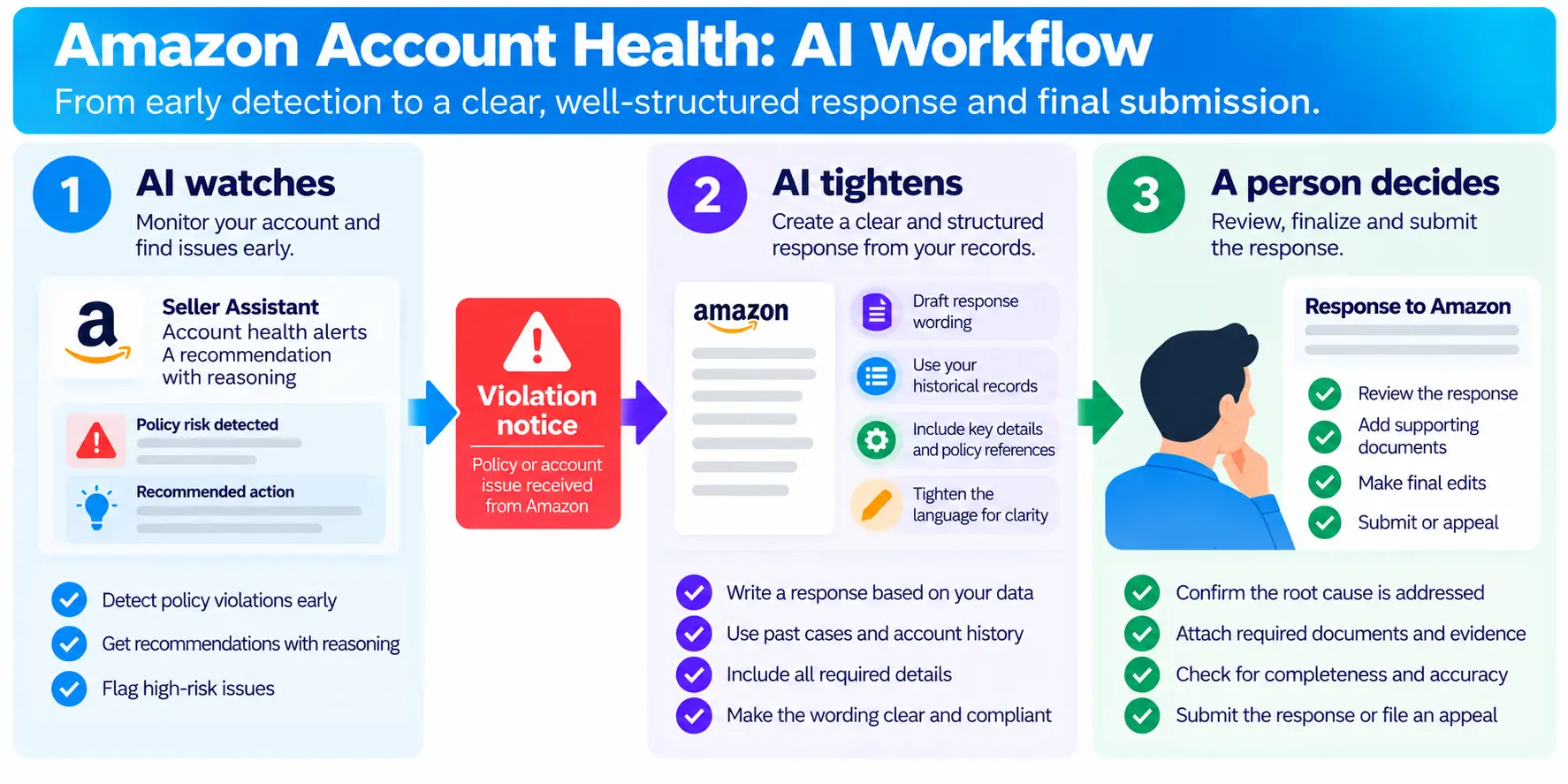
What a person decides: every response, every document, every appeal.
Frequently Asked Questions
200 or higher. Amazon’s own answer is that you do not need a rating of 1,000 to be safe: above 200 is healthy, and non-critical violations are tolerable if you resolve them quickly. New sellers start at 200, so a new account is healthy on day one, and any open violation takes points off until it is resolved.
Often order volume. Amazon says a drop in fulfilled orders over the last 180 days may lower the score, but it will not take a healthy account below 200 unless there are policy violations. The other cause is an open violation that has not yet been resolved on the Account Health page.
No. Amazon says the rating improves only when the violation is resolved on the Account Health page, and violations on deleted listings can still be resolved there under Policy Compliance. Deleting the listing removes the offer, not the record.
Each violation’s deduction is one-time and is restored once the violation is resolved and leaves the Account Health page, so the score moves when the case closes, not on a calendar. A score that fell below 100 becomes eligible for reinstatement once the violations are addressed and it rises back above 100.
Yes. Amazon says it may deactivate an account at any score if it suspects fraud, deception, illegal activity or other harmful activity. The rating covers the policy violations it lists; it is not a shield against everything else.
At 200 or above, every week
The rating rewards one habit: open the Account Health page on a schedule and close every violation at its source. Do that and the number takes care of itself; let a critical one sit and no number will help.