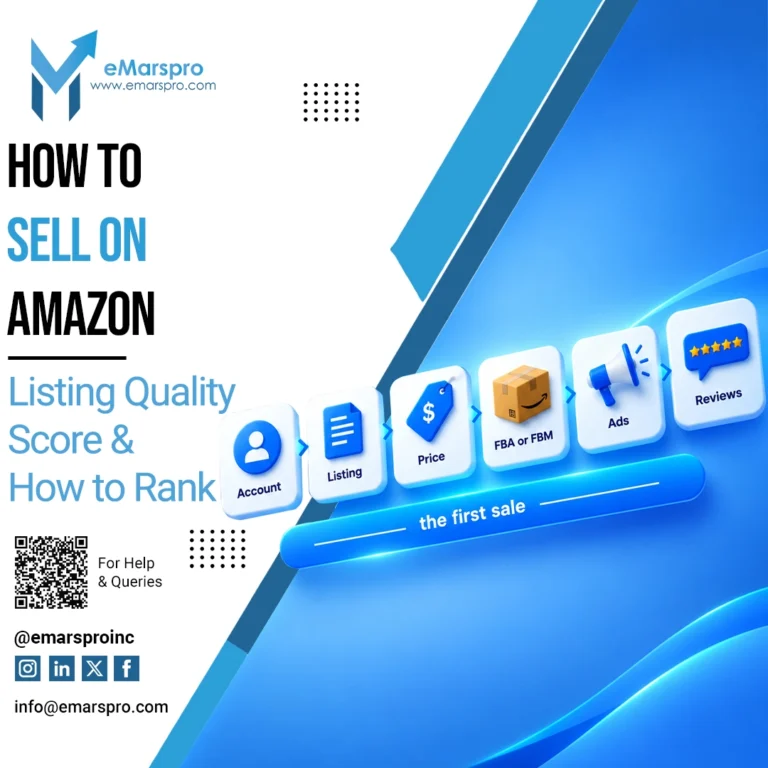
To sell on Amazon you open a seller account on a plan, list the product (by matching an existing listing or creating one), price it for Amazon’s fees, choose whether Amazon ships it or you do, run the first ads and collect the first reviews.
Amazon lists those as its six steps; this guide adds the order of work and the costs, checked for this update on Amazon’s own pages.
It is written for a brand that already has a product. If you are still choosing one, start with our guide to how to find products to sell on Amazon and come back here.
Step 1: Choose the plan and register
Amazon’s pricing page lists two plans: Individual at $0.99 per item sold, and Professional at $39.99 a month plus selling fees. On the accounts we set up, a brand takes the Professional plan from the start; the per-item plan is for a seller with a few items to sell, which is how Amazon describes it.
Registration runs through Seller Central; Amazon’s “start selling” guide lists what to have ready, and our post on what Amazon Seller Central is covers the account itself and who can open one.
Our post on selling on Amazon without a business license covers what Amazon asks for at registration and the tax, permit and consumer rules that still apply.
Verification can take days, so register before the product is ready, not after. Our Amazon account management team opens the account in the first week of an engagement for that reason, with the plan, the tax details and the bank account ready before the product is.
Step 2: List the product
Amazon’s second step is to match or create a listing. If the product already exists on Amazon, you add an offer to that listing; if it does not, you create one with a title, bullet points, a description, images and the search terms field.
The rules for each field are in our Amazon keyword optimization guide; the title rules, including the 75-character limit in most categories, are in our post on Amazon’s title requirements .
Amazon’s own listing tool in Seller Central drafts those fields from a few words, an image or a product URL; the seller reviews and approves them.
Step 3: Price for the fees
Amazon’s pricing page says referral fees vary by product category and are charged, per item sold, as a percentage of the total price or a minimum amount, whichever is greater. Fulfillment fees come on top if Amazon ships the item, and Amazon’s Revenue Calculator previews the fees for a product before it is listed.
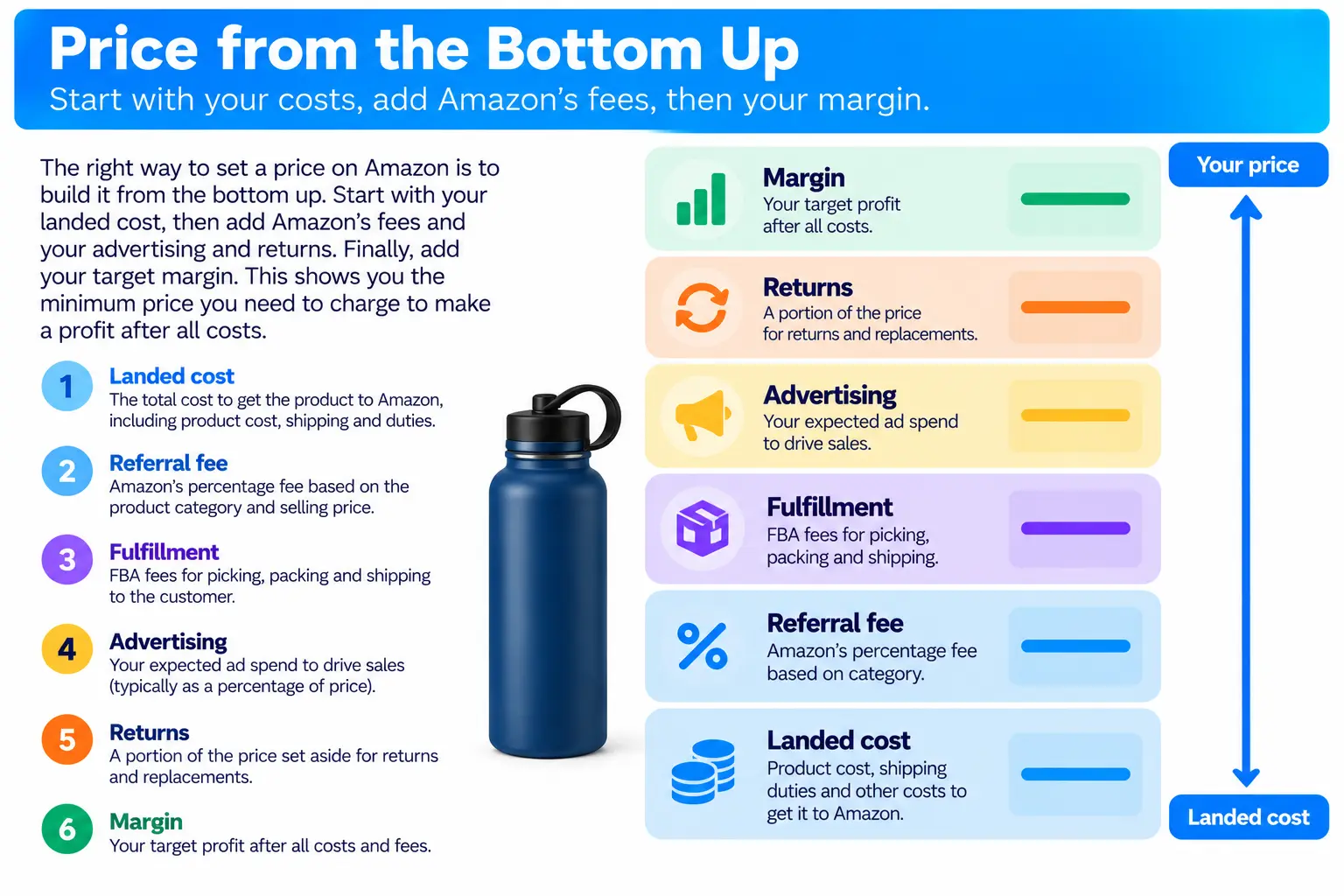
Price from the bottom up: landed cost, plus the referral fee, plus fulfillment, plus advertising, plus returns, and only then the margin.
The most common first-year problem we see is a product that sells well and loses money on every unit, so run the calculation before the listing goes live, not after the first month’s statement.
Step 4: FBA or FBM
Amazon describes the two options in one line each: Fulfillment by Amazon (FBA) outsources shipping, returns and customer service; Fulfillment by Merchant (FBM) is shipping it yourself. The practical test:
| Choose | When | What to watch |
|---|---|---|
| FBA | The product is small, sells steadily and needs the Prime badge to compete | Storage fees, the holiday peak fee window, and the inbound deadlines before events |
| FBM | You already ship from your own warehouse, or the item is large, heavy or slow | Your own handling time and tracking, which Amazon measures against its seller standards |
| Both | Different products need different answers | One plan per product, reviewed quarterly |
Step 5: Promote the product
Amazon’s fifth step is advertising. A new listing has no sales history, so the first campaigns are automatic Sponsored Products campaigns that harvest the search terms shoppers use, followed by exact-match campaigns on the terms that convert. Set the first budget from margin, not from hope, and read the search term report every week until the listing has history.
Step 6: Get the first reviews
Amazon’s sixth step is reviews. Our practice is to use only Amazon’s own routes: the review request Seller Central lets you send on an order, and Amazon Vine, which Amazon’s Brand Registry page names among the benefits of enrolling. Anything else, from incentives to review groups, risks the account. Reviews come slowly; the listing has to convert without them first.
The first sale, and the calendar
A brand that registers in October 2026 will not sell in this year’s holiday deal events: Amazon’s deal window closed on October 20, and its last inbound date for the Prime badge, October 28, is too close for an account still in verification. That is not a reason to wait.
Register now, list now, run the first automatic campaigns through November, and plan the first real push for January, when in our experience ad costs ease and the listing has a search term report to build on.
How AI helps you sell on Amazon
• Amazon’s own listing tool, inside Add Products in Seller Central, drafts the title, bullets and description from a few words, an image or a URL; Amazon says the seller reviews, edits and approves the content and is responsible for its accuracy.
• For our own work, ChatGPT and Claude draft the first version of bullets and the first ad campaign structure from the keyword map; a person rewrites the bullets and sets every bid.
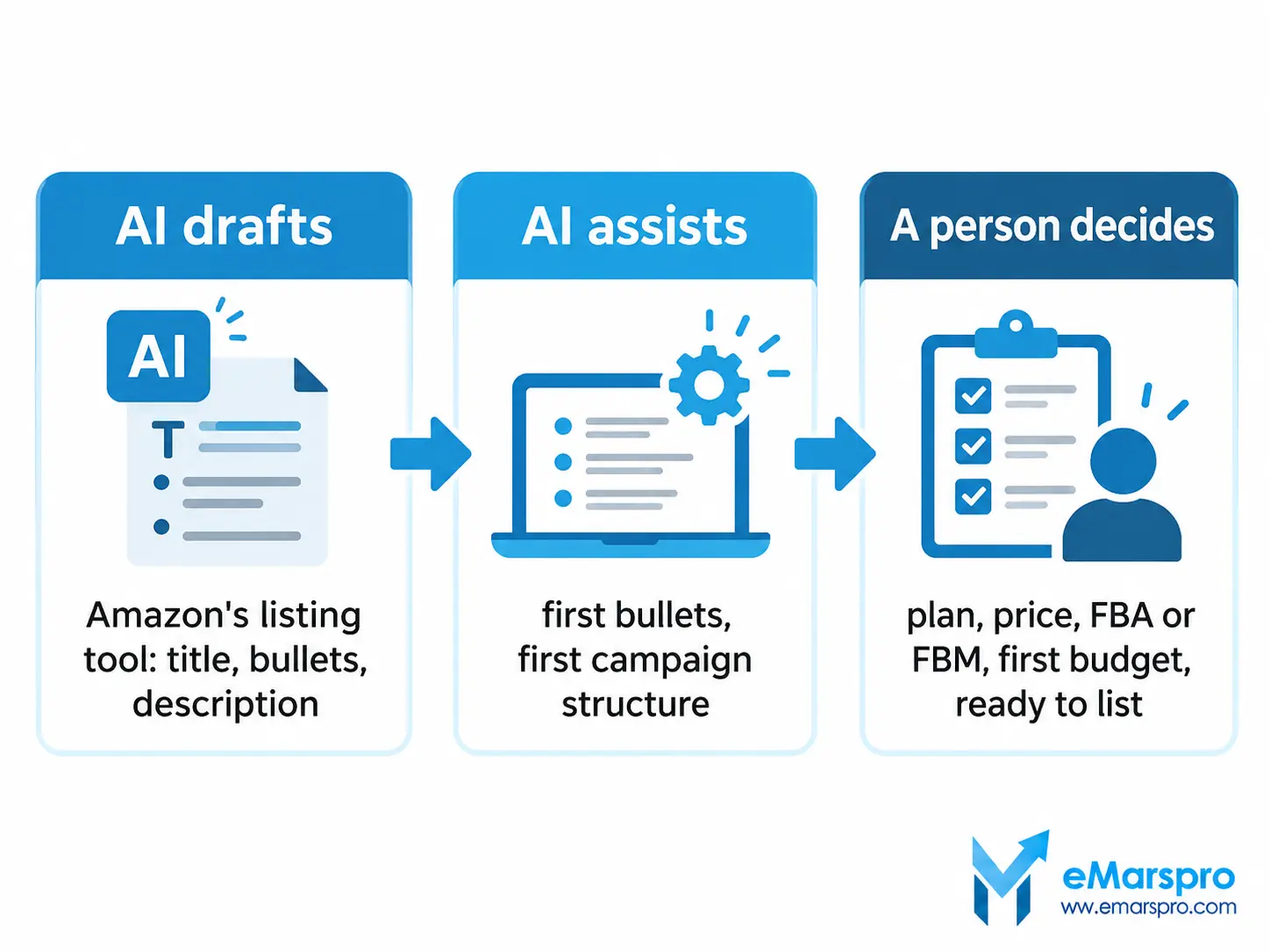
What a person decides: the plan, the price, FBA or FBM, the first budget, and whether the product is ready to list at all. AI drafts the listing; it does not run the business.
Frequently Asked Questions
Two kinds, per Amazon’s pricing page: the selling plan (Individual at $0.99 per item sold, or Professional at $39.99 a month plus selling fees) and the per-item fees, led by a referral fee that varies by category, charged as a percentage of the price or a minimum amount, whichever is greater. Fulfillment fees are extra if Amazon ships for you.
Our guide to selling on Amazon without a business license covers what Amazon asks for at registration, the tax, permit and consumer rules that still apply where you sell, and when an LLC becomes worth it. On the accounts we set up, the LLC is a later step, not a registration requirement.
FBA if the product is small, sells steadily and needs the Prime badge to compete; FBM if you already ship from your own warehouse or the item is large, heavy or slow. Amazon describes FBA as outsourcing shipping, returns and customer service, and FBM as shipping it yourself. Many brands run both, by product.
With the listing, yes. Amazon’s own tool in Seller Central drafts a title, bullet points and description from a few words, an image or a URL, and Amazon says the seller reviews and approves the result and is responsible for it. The decisions that make or lose money, the price, the plan, FBA or FBM, the first budget, are yours
Account, listing, price, fulfillment, ads, reviews
Selling on Amazon is six steps in a fixed order, and most first-year mistakes come from doing them out of order: a product listed before it is priced for the fees, ads run before the listing converts, reviews chased before there are orders. Do them in sequence and the first sale follows.
If you would rather have the setup run for you, from registration to the first campaigns, our Amazon account team starts with a free audit of your listings, PPC and account health, with findings within 48 hours