
You cannot negotiate Amazon’s rates, so every real saving comes from changing what you send in and how long it sits. The fastest levers are package size, the dimensions Amazon has on record for your product, and how quickly stock turns before storage charges stack up.
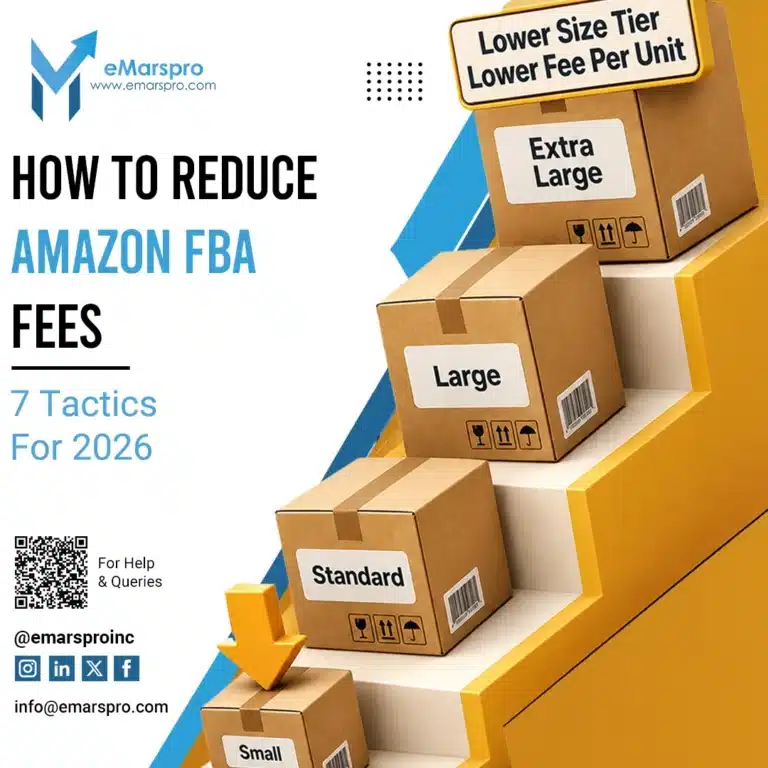
Amazon sets fulfillment fees by weight and size, and groups products into size categories that charge progressively more as they get bigger. That single mechanic is behind most of what follows.
Written by Luke Collin. Every tactic below re-verified against Amazon’s own pages on August 16, 2026. Reviewed by Syed Irfan Ahmed, Founder of eMarspro. Managing marketplace accounts since 2011.
Start here: this guide is tactics only
This post used to open with a list explaining every FBA fee. That list now lives in one place, kept current, instead of two.
- If you want to know what each fee is and where it posts in Seller Central, read every Amazon FBA fee, one by one. That is the canonical list.
- If you want to know what Amazon changed this year, read our Amazon FBA fee changes tracker.
- If you already know what you are being charged and want it lower, you are in the right place. Keep reading.
One note on rates before the tactics. Amazon does not publish a flat public rate card for fulfillment and storage, and any blog quoting exact per cubic foot figures is quoting a snapshot that has already moved. Current rates live in Amazon’s FBA fees guide and in your own rate card in Seller Central.
Seven tactics that actually move the bill
| # | Tactic | What it moves | How fast it pays |
|---|---|---|---|
| 1 | Cut the box until the size tier changes | Fulfillment fee on every future unit | Next shipment |
| 2 | Fix the dimensions Amazon has on record | Fulfillment fee on every unit of that SKU | Days, once corrected |
| 3 | Bundle slow movers into one shippable unit | One fulfillment fee instead of several | Next listing change |
| 4 | Test the low price band on items under $10 | Fulfillment rate band | Next price review |
| 5 | Keep inventory inside 90 days of supply | Storage and the aged inventory surcharge | One to two months |
| 6 | Set a removal and liquidation cadence | Stops surcharges compounding on dead stock | Ongoing |
| 7 | Model every change before you ship it | Prevents the expensive mistakes entirely | Immediate |
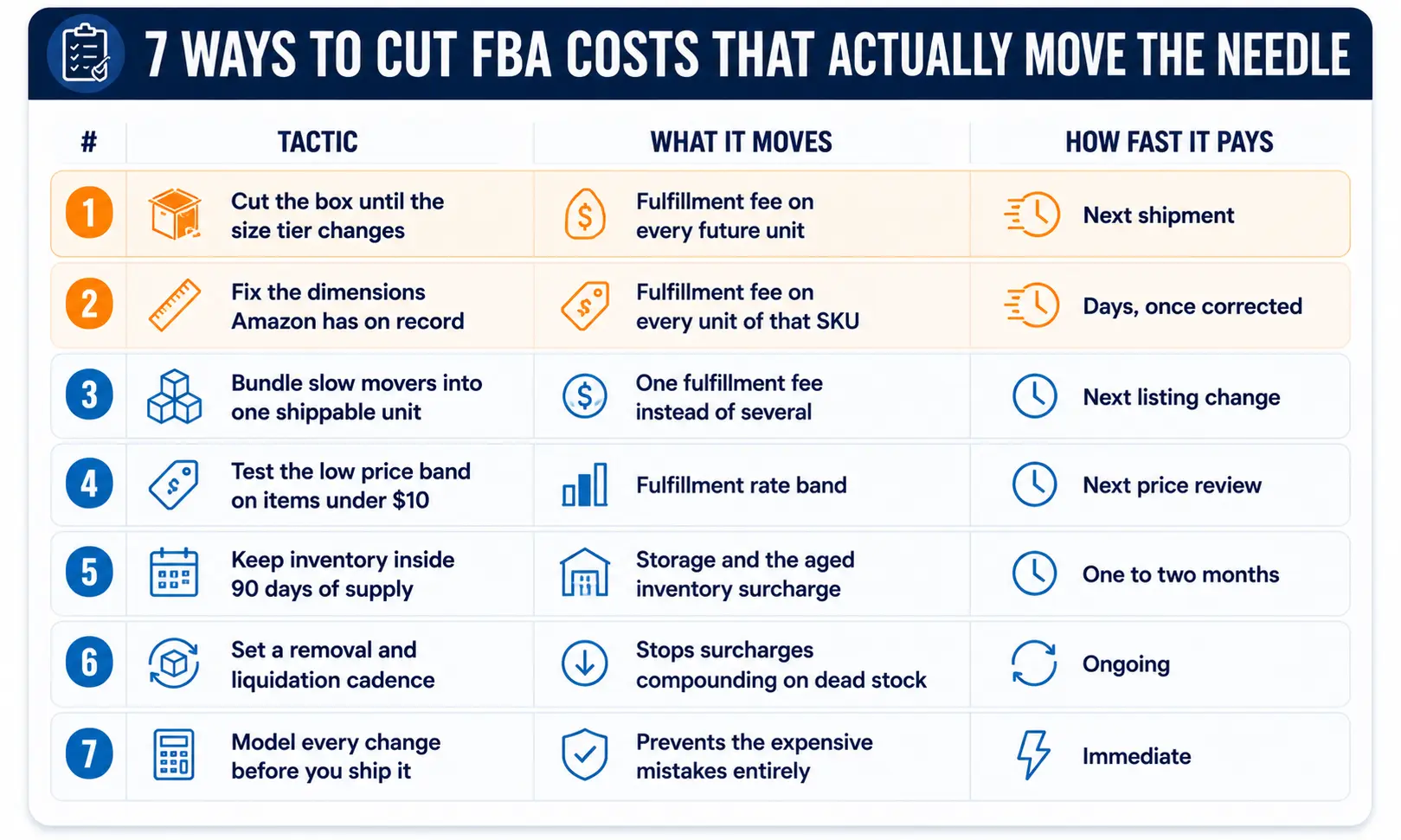
Amazon itself names the same three levers in its 2026 fee announcement: optimized packaging, inbound shipment options and inventory management. Everything below is one of those three, made specific.
Doing this once is a project. Doing it every week is what actually holds the line, which is the argument for a standing Amazon FBA management routine rather than an annual cleanup.
1. Cut the box until the size tier changes
Amazon groups products into size categories, from small standard up to extra large, and charges progressively more as dimensions and weight increase. Fees move in steps, not smoothly.
That means shaving a quarter inch off a box is worth nothing until it crosses a boundary, and worth a lot the moment it does. Measure the current package, find the nearest boundary, and work out whether it is reachable.
Amazon’s own guidance is packaging that is light and compact and meets its guidelines. Its fees guide also points to choosing lightweight, compact products in the first place, which is a sourcing decision more than a packaging one.
2. Fix the dimensions Amazon has on record
Amazon sets the fulfillment fee from the product’s price, weight and dimensions as recorded in its own system. If that record is larger than the real product, every unit of that SKU has been overcharged, and will keep being overcharged.
Check the recorded size against a tape measure on your highest fee SKUs. This is the single cheapest check in the list and it fixes the future bill on its own.
It may also mean Amazon owes you for the past. That side of it is covered in our guide to every Amazon FBA fee, one by one, which handles reimbursement claims.
3. Bundle slow movers into one shippable unit
The fulfillment fee is charged per unit picked, packed and shipped, and set by that unit’s size and weight. Two items shipped as one unit pay one fulfillment fee, not two.
Bundling works when the combined pack stays inside the same size category, and backfires when it tips into the next one. Model it before you list it, which is tactic seven.
It also moves slow stock faster, which is the storage saving underneath the fulfillment saving.
4. Test the low price band on items under $10
Amazon’s FBA fees guide names Low-Price FBA rates for products under $10 as one of its own listed ways to pay less. If a product sits just above that line, the price test is worth running.
This is the one tactic where the lever is your price rather than your packaging, so it needs a margin check first. A lower price with a lower fee can beat a higher price with a higher fee, or it can be worse. Do the arithmetic, do not assume.
5. Keep inventory inside 90 days of supply
Two separate charges punish slow stock. Monthly storage is billed on the daily average cubic feet your inventory occupies, and the aged inventory surcharge is added on units held in a fulfillment center for more than 181 days.
Amazon treats more than 90 days of supply as excess or aged in its Inventory Performance Index, a score from 0 to 1,000 shown in Seller Central.
One caution most guides get wrong. Amazon’s inventory page describes IPI as a measure of inventory performance and does not tie the score to fees, so treat it as an early warning signal rather than a fee lever in itself.
Storage also runs higher in the holiday months, November and December in particular. Model the cubic feet before you send bulk stock in September, not after the December bill arrives.
6. Set a removal and liquidation cadence
Amazon will return, dispose of or liquidate inventory from a fulfillment center for a per item charge. The decision is a comparison: the removal charge once, against storage plus the aged surcharge every month it stays.
Run that comparison on a fixed date every month. The 181 day surcharge line is the deadline that matters, so anything approaching it needs a decision, not another month of hoping.
Some stock is not slow, it is stuck. If units are sitting because the listing broke rather than because demand died, our stranded inventory guide covers getting them sellable again first.
7. Model every change before you ship it
Amazon’s Revenue Calculator estimates referral fees, fulfillment costs, monthly storage and variable closing fees for a given product and price. Run every packaging change, bundle and price test through it before you commit inventory.
One limit matters, and Amazon states it plainly in its own calculator guide: the calculator does not include long term storage, removal orders or returns processing unless you add them yourself as miscellaneous costs.
So a product that models profitably can still lose money on returns and removals. Add a realistic return rate and a removal assumption by hand. Our Amazon FBA calculator walkthrough covers how.
Brand Registry does not discount your referral fee
This is worth correcting carefully, because the wrong version of it is repeated across most guides on this topic, and it changes what you would do about it.
The claim you will see: enrol in Brand Registry and get 10% off your referral fees.
What Amazon’s own Brand Referral Bonus page actually says: you earn a bonus when non-Amazon advertising brings customers to the Amazon store. The bonus averages 10% of the sales price on qualifying sales, and bonuses accumulate as credits that offset referral fees on future sales.
Three practical differences:
- Your referral fee rate does not change. You pay the same percentage you paid before. A credit arrives afterwards.
- It only applies to traffic you drive from outside Amazon. Sales that come from Amazon’s own search and browse earn nothing, and for most sellers that is the majority of volume.
- It requires the tags. Amazon lists a Professional plan in the US store, Brand Registry enrollment, an active or pending trademark, and Amazon Attribution tags on the campaigns. Untagged external traffic earns nothing at all.
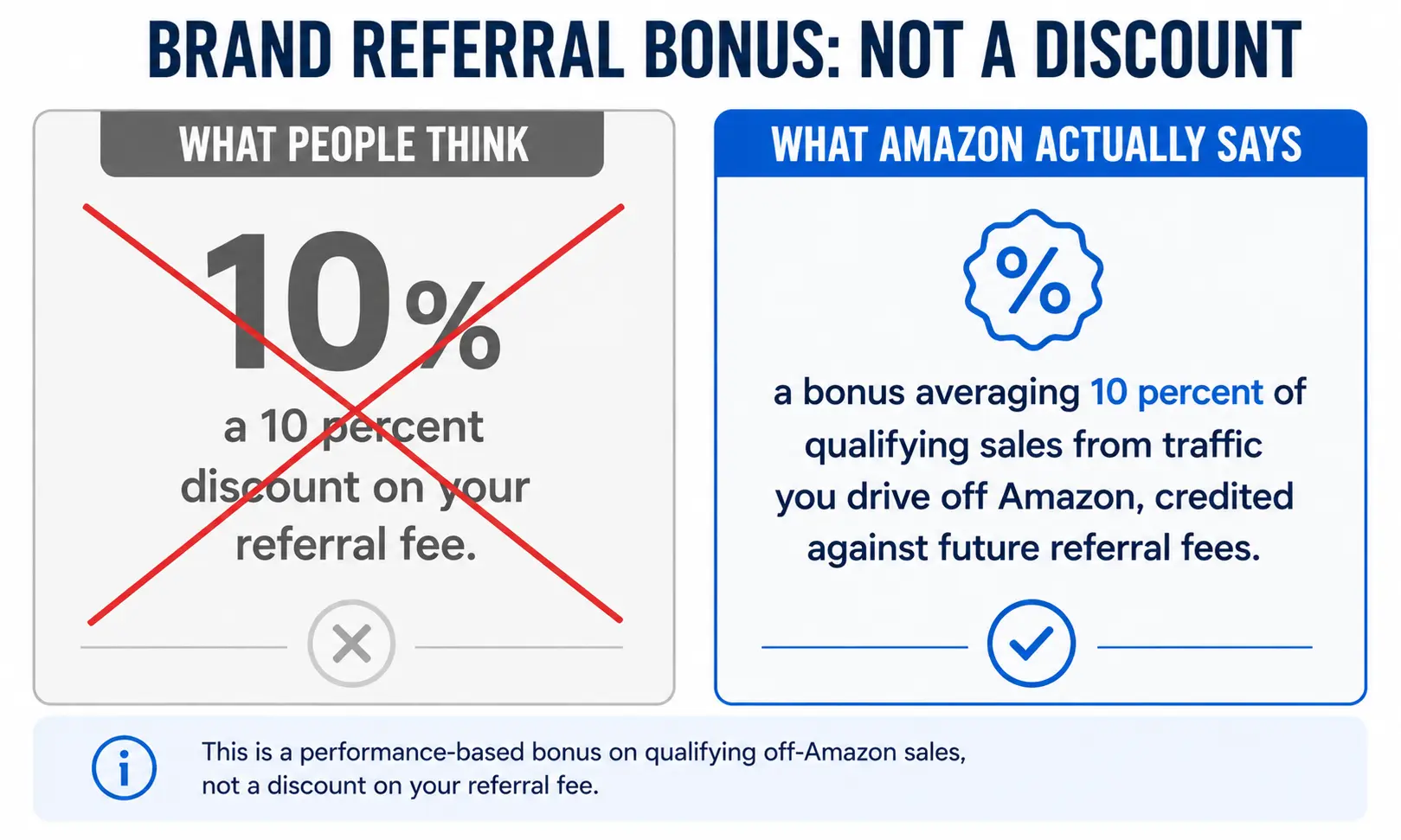
So it is a real programme worth running if you already advertise off Amazon. It is not a fee reduction, and building a margin plan around it as if it were a discount will leave a hole.
Where to verify each saving in Seller Central
A tactic you cannot measure is a theory. Each one has a report that shows whether it worked.
| Tactic | Where you verify it |
|---|---|
| Package size and size tier | Fee preview report: Reports, then Fulfillment, then Payments, then Fee preview |
| Recorded dimensions | Fee preview report, compared against the real product measured by hand |
| Bundling | Revenue Calculator, before listing, then the fee preview after |
| Low price band | Revenue Calculator, then the fee line in Payments |
| Inventory age | FBA Dashboard and the Inventory Performance Dashboard |
| Removals and liquidation | Payments Dashboard and your removal order confirmations |
| Everything together | Fee and Economics Preview report and the Profit Analytics dashboard, both named by Amazon in its 2026 fee announcement |
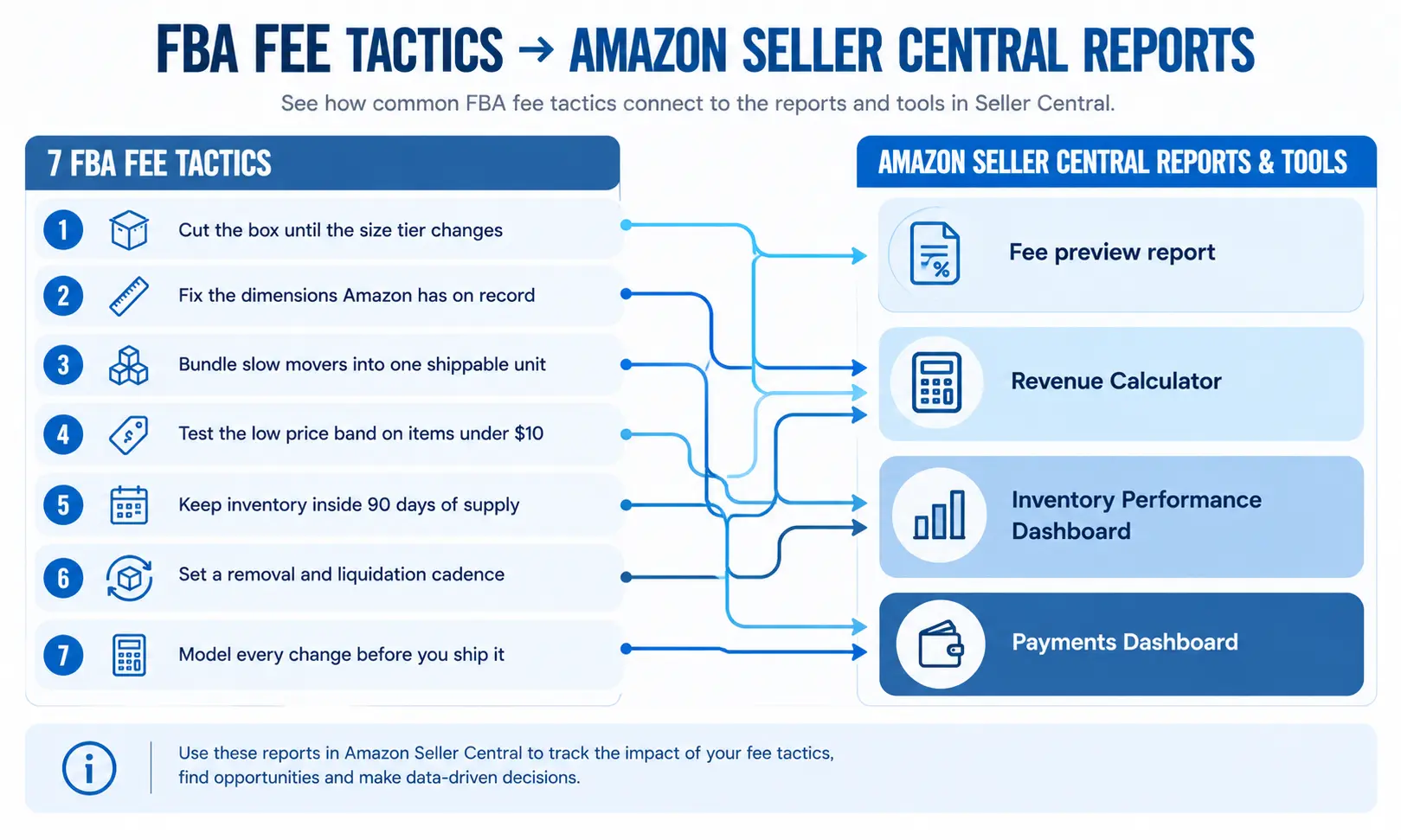
Check one of these the week after you change something. A saving nobody confirmed is a saving nobody made.
Frequently Asked Questions
No. Brand Registry does not change your referral fee rate. It makes you eligible for the Brand Referral Bonus, which Amazon describes as a bonus averaging 10% of the sales price on qualifying sales when you drive traffic to Amazon from outside using Amazon Attribution tags. Those bonuses accumulate as credits that offset referral fees on future sales.
Packaging. Amazon sets fulfillment fees by weight and size and groups products into size categories that charge progressively more as they get bigger. Getting a package into a smaller category lowers the fee on every future unit of that product, not just the next order.
No. Amazon publishes referral rates by category and applies its fulfillment rates by size and weight, so there is no negotiation step. The levers are all on your side: package dimensions, the size Amazon has on record, inventory age, inbound shipment choices and how quickly you remove dead stock.
When The Numbers Still Do Not Work
Sometimes the tactics are all running and the margin is still thin. At that point the problem is usually the product mix or the buying, not the packaging, and that takes an outside read of the account.
If you want that read, an FBA management company can do it for you. The audit is free, starts without Seller Central access, and comes back inside 48 hours with the fee lines worth attacking first. Ongoing scope is set in your SOW.
eMarspro manages US brands on Amazon and across 60+ marketplaces.